- 11 -
Preparing the Motherboard
Installing the CPU
Be very careful when handling the CPU. Hold the
processor only by the edges and do not touch the
bottom of the processor.
Note: Use extreme caution when working with
the CPU, not to damage any pins in the
CPU socket on the motherboard!
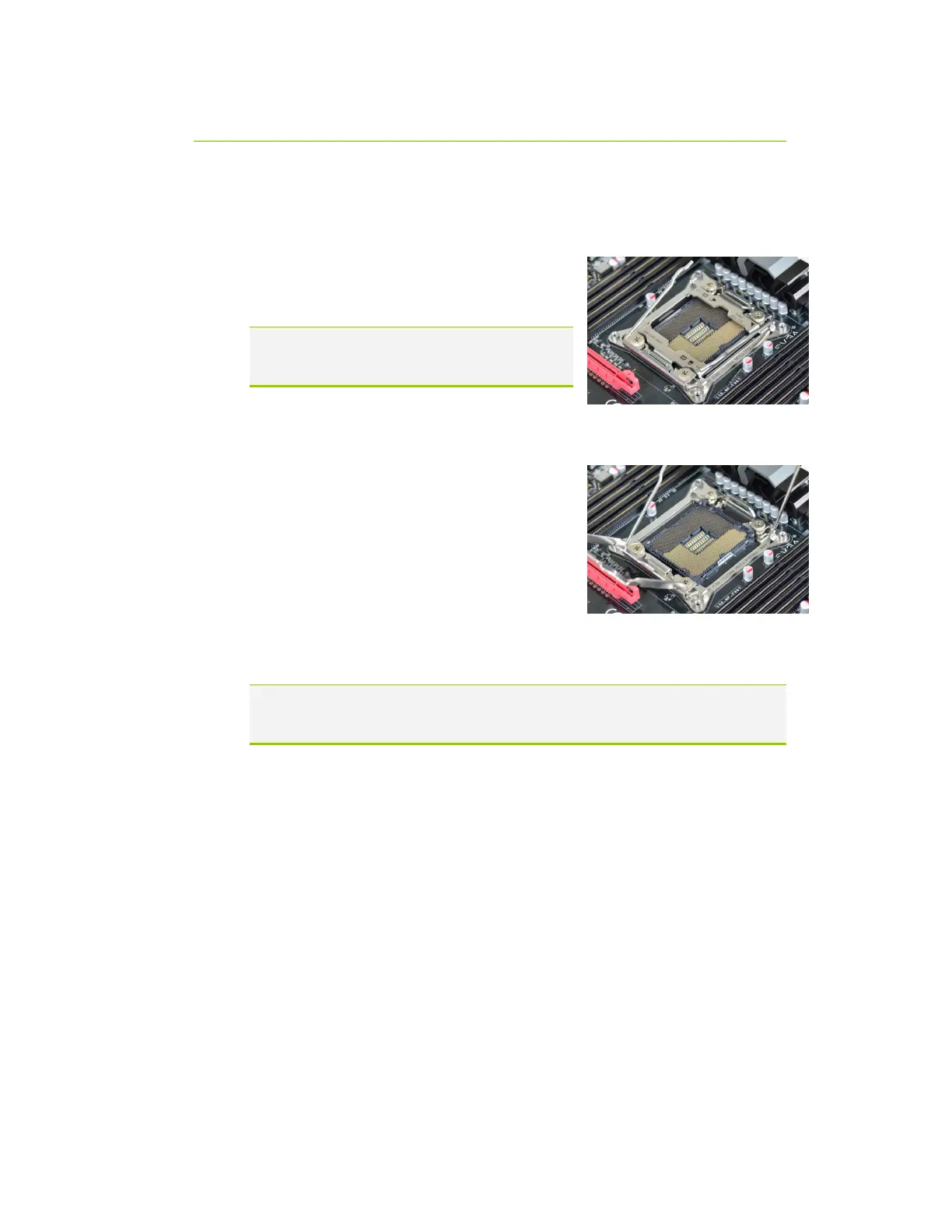
Use the following procedure to install the CPU onto the motherboard:
Unhook the left socket lever by pushing down and
towards the socket.
Unhook the right socket lever by pushing down
and towards the socket.
Gently press the left socket lever and the load
plate will lift from the socket.
Open the load plate and make sure not to
damage any of the pins inside of the socket.
Note: After removing the CPU socket cover, it is recommended to store it in case
you ever need to transport your motherboard. If you ever remove the CPU, it
is highly recommended to reinstall the socket cover.



 To Next Page