

EasyManua.ls Logo

Evinox ModuSat XR - User Manual

Evinox ModuSat XR
38 pages
Print Icon
To Next Page IconTo Next Page
Loading...
1 2551868AB
Evinox ModuSat XR (Eco)
Twin Plate Heat Interface Unit
Installation Manual
Question and Answer IconNeed help?

Do you have a question about the Evinox ModuSat XR and is the answer not in the manual?

Summary

1. GENERAL INFORMATION

1.1 Application

Describes the unit's purpose for domestic hot water and heating.

1.2 Symbols

Explains important safety and installation symbols used in the manual.

1.3 Warning

Provides essential warnings regarding installation and operation safety.

1.4 Safety Instructions

1.5 Maintenance Requirements

Recommends periodic checks and maintenance for optimal performance.

2. TECHNICAL FEATURES

2.1 Typical ModuSat XR & XR-ECO Unit

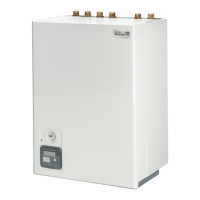
Shows a typical image of the ModuSat XR and XR-ECO units.

2.2 Function and Operation

Explains the unit's operation for heating and domestic hot water.

3. INSTALLATION

3.1 Handling

Instructions for safely moving and lifting the ModuSat® unit.

3.2 Positioning

Guidelines for selecting an appropriate installation location.

3.3 Hydraulic connections

3.4 Wall fixing

Information and diagram for wall mounting the unit.

3.5 Use of Pre-installation Rig

Explains the purpose and use of the pre-installation rig.

3.6 Evinox Flushing By-pass Kit

3.7 Flushing Primary Circuit

Details the process for cleaning and flushing the primary circuit.

3.8 First fill of the HIU

3.9 HIU Flushing

Explains how to flush the Heat Interface Unit.

4.1 Water Quality Guidelines

4.2 Dosing Secondary System

Details the process of adding inhibitors to the secondary system.

5. Electrical Connections

5.1 Removing the Front panel

Step-by-step guide to safely remove the front panel.

5.2 ModuSat Wiring Connections

5.2.1 RJ45 Connections

Explains RJ45 connections for TCP/IP networking.

6. SETTING INTO OPERATION; COMMISSIONING

6.1 Pre-commissioning checklist

A checklist of prerequisites before commissioning the unit.
Summary

1. GENERAL INFORMATION

1.1 Application

Describes the unit's purpose for domestic hot water and heating.

1.2 Symbols

Explains important safety and installation symbols used in the manual.

1.3 Warning

Provides essential warnings regarding installation and operation safety.

1.4 Safety Instructions

1.5 Maintenance Requirements

Recommends periodic checks and maintenance for optimal performance.

2. TECHNICAL FEATURES

2.1 Typical ModuSat XR & XR-ECO Unit

Shows a typical image of the ModuSat XR and XR-ECO units.

2.2 Function and Operation

Explains the unit's operation for heating and domestic hot water.

3. INSTALLATION

3.1 Handling

Instructions for safely moving and lifting the ModuSat® unit.

3.2 Positioning

Guidelines for selecting an appropriate installation location.

3.3 Hydraulic connections

3.4 Wall fixing

Information and diagram for wall mounting the unit.

3.5 Use of Pre-installation Rig

Explains the purpose and use of the pre-installation rig.

3.6 Evinox Flushing By-pass Kit

3.7 Flushing Primary Circuit

Details the process for cleaning and flushing the primary circuit.

3.8 First fill of the HIU

3.9 HIU Flushing

Explains how to flush the Heat Interface Unit.

4.1 Water Quality Guidelines

4.2 Dosing Secondary System

Details the process of adding inhibitors to the secondary system.

5. Electrical Connections

5.1 Removing the Front panel

Step-by-step guide to safely remove the front panel.

5.2 ModuSat Wiring Connections

5.2.1 RJ45 Connections

Explains RJ45 connections for TCP/IP networking.

6. SETTING INTO OPERATION; COMMISSIONING

6.1 Pre-commissioning checklist

A checklist of prerequisites before commissioning the unit.

Evinox ModuSat XR Specifications

General IconGeneral
BrandEvinox
ModelModuSat XR
CategoryHeater
LanguageEnglish