After installation, return here to browse through
the Frequently Asked Questions, conveniently
located at the beginning for your easy access:
1. How to pair my EVIPOWER with the EVIQO app?
Once you power up the EV charger, the 15-minute configuration window starts
and a small vertical line indicator must be flashing blue. If the 15-minute
configuration window expired, restart the configuration window for pairing your
smartphone with the charger:
1. Restart the device (power off and back on) to restart the configuration window.
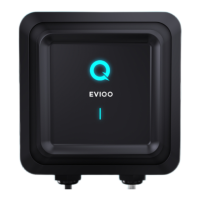
2. Ensure the signal indicator (small vertical line) is flashing blue, indicating the
configuration mode.
3. Keep your phone close to EVIPOWER; it might take a minute to detect.
4. Don't forget to grant the EVIQO app Bluetooth permissions.
2. My EVIPOWER cannot connect to the Internet. What shall I do?
Please restart your wifi router. It’s also recommended to restart EVIPOWER
(power it off and back on).
3. My car's app already has smart features. Is it necessary to also use
the EVIQO smart app?
EVIQO encourages utilizing the charger's smart features. For optimal
performance, ensure harmony between the smart functions: if you intend to utilize
your car's smart features, refrain from duplicating settings in your car app to
maintain seamless communication with EVIPOWER.
4. EVIPOWER isn’t responding. Seems like the app is frozen.
Performing a hard reboot is necessary. Locate the hard reboot button inside
EVIPOWER by following these steps:
1. Remove EVIPOWER from the wall bracket using the provided allen wrench to
unscrew the anti-theft screws on both sides.
2. Unscrew the 7 screws on the back of the device to remove the face part.
3. Inside, locate the round grey dip switch in the top left corner of the motherboard
attached to the back side of the EVIPOWER face part.
4. Beneath the dip switch, find a small white button below to the right, which is the
hard reboot button.


 To Next Page