EVOLIGHTS SPARK PRO
Instrukcja obsługi / User Manual
33
• After checking that all the parts are intact and complete, position the machine on flat.
• Fill the consumable into feed port when power off.
• Always connect the product to a grounded circuit. Before power on, make sure it is connected
with the rated voltage.
• Turn on the machine, it will immediately start heating up.
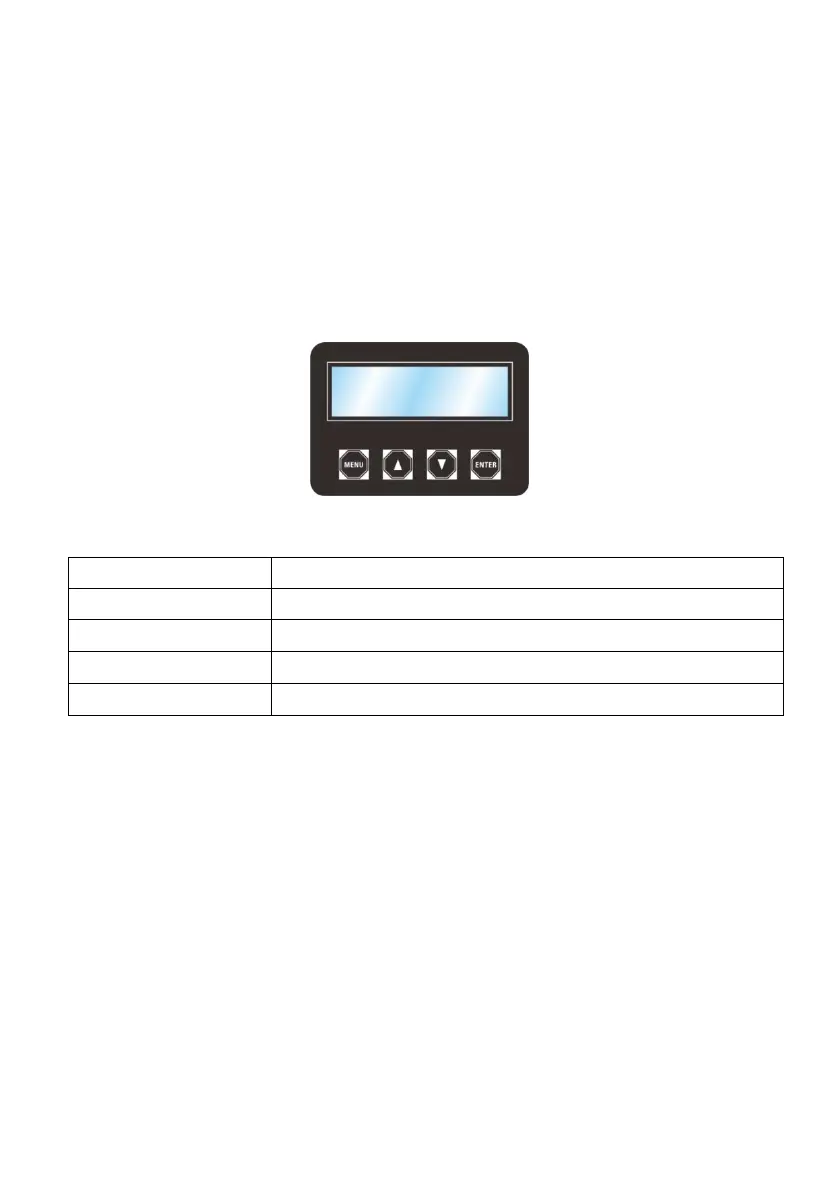
7.2. On-device control panel
To access the control panel functions, use the four buttons located underneath the LCD display.
Switch menu pages to select a function
Increases the numeric value of current function
Decreases the numeric value of current function
Switch between current menu page and Standby Page
7.3. On-device control mode & operation
7.3.1. Programming
• Refer to the Menu Map to understand the menu options. The menu map shows the main level
and a variable number of programming levels for each option.
• To go to the desired main level, press <MENU> repeatedly until the option shows on the display.
This will take you to the first programming level for that option.
• To select an option or value within the current programming level, press ▲ or ▼ until the option
shows on the display. If there is another programming level, you will see that first option, or you
will see the selected value.
• Press <MENU> repeatedly to switch menu pages.
• Press <ENTER> to switch between current menu page and Standby Page at any time
7.3.2. Menu map



 To Next Page