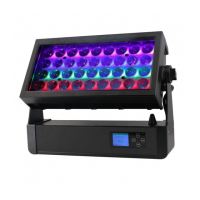
EVOLIGHTS SPARK PRO
Instrukcja obsługi / User Manual
34
The machine is heating up.
The machine could only start working
when reach the pre-set target
temperature.
Finished heating up, ready to work.
Displays current heating system
temperature.
Press <ENTER> to get back to this
page at any time (not DMX mode).
Press ▲ or ▼ to switch ON/OFF Auto
Heat-up function.
The default setting of Auto Heat-up is ON. The Heat-up starts when the
machine is powered on. LCD will keep showing"Heating Up"until the
heating system reaches pre-set target temperature. When the LCD reads
"Ready to Spark", the machine is available for spark effect at the moment.
Press ▲ or ▼ to trigger spark output
manually
The machine is outputting spark.
The LCD will automatically switch to
this page after Manual Spark is on for
5 seconds.
Press any button, the LCD will go back
to previous page "Manual Spark ON",
and press ▲ or ▼ again to switch OFF
Manual Spark.
The longest duration of single time of Manual Spark output is 30
seconds when machine works properly. The machine will
automatically stop after 30 seconds continuous output with LCD
showing "Manual Spark OFF". For longer output, just turn on
Manual Spark again.
Press ▲ or ▼ to set the Spark height
of Manual Spark from level 1
(minimum) to 10 (maximum).
Press ▲ or ▼ to set the DMX starting
address



 To Next Page