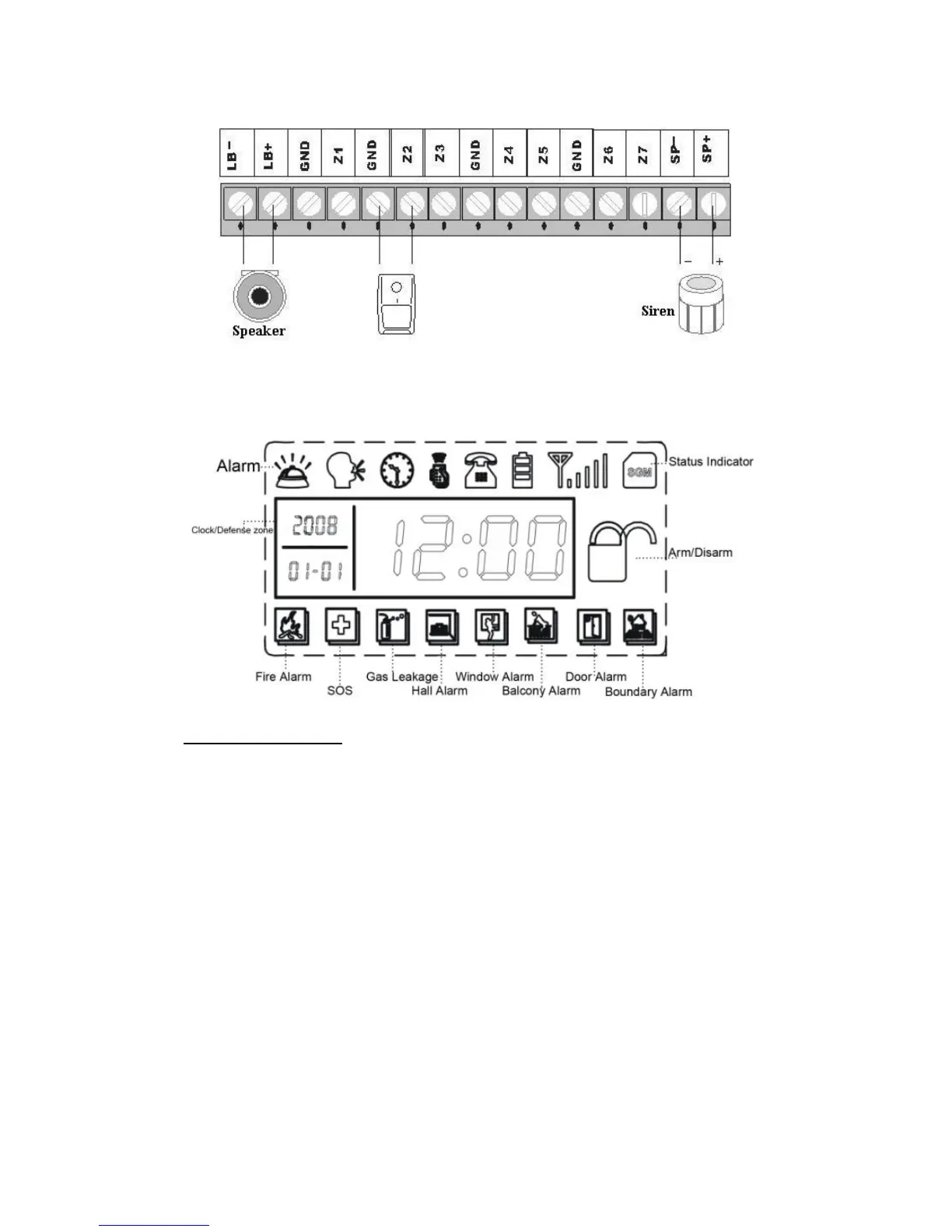
LCD display:
Function Settings
Initialization
Please insert SIM card and plug in power adaptor, and then power on the
system, all the LED lights will be on for 2 seconds and you will hear a
long beep; the system comes into initialization. After the time clock
displays on the LCD screen, the [SGM] starts flashing and the main unit
starts to detect the GSM network until a long beep. Then the [SGM]
indicator goes out indicating the system comes into disarm status.
Finally, turn on the backup battery switch.


 To Next Page