THE CYCLE TIMER EXPLAINED
THE CYCLE TIMER IS FACTORY SET TO INITIATE
A CLEANING CYCLE ONCE EVERY 3 DAYS
ONLY ADJUST SCREW A AND B ON THE FIRST CYCLE TIMER.
NEVER ADJUST ANY OTHER TIMER SCREW.
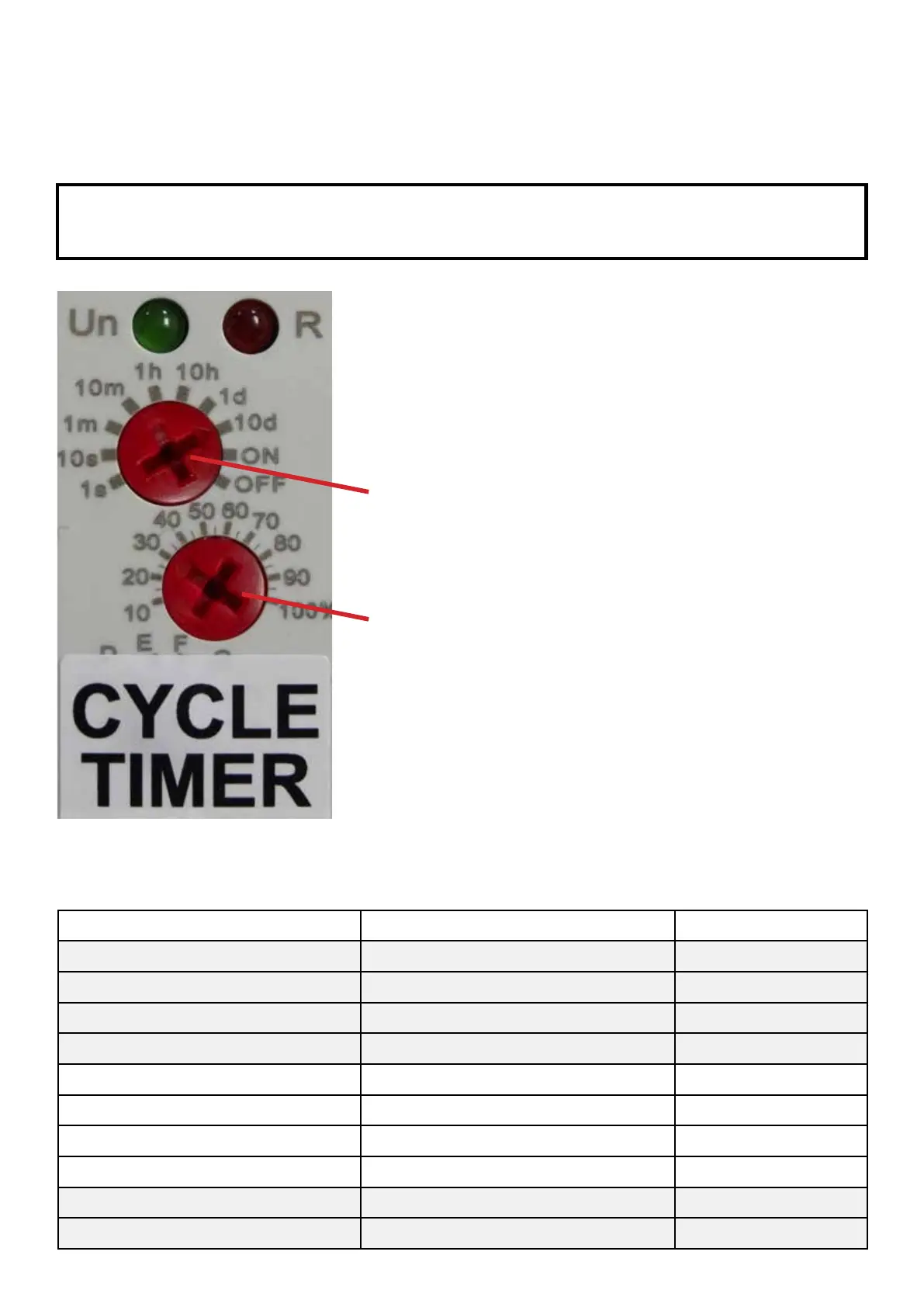
This cleaning cycle is programmed by turning the top 2 red screws on
the first timer block. Each screw head has an arrow which should point
towards the correct digit you require.
SCREW A - This screw sets the number of times the cycle can be
initiated in any period from one day through to 10 days
on a coarse scale.
NEVER SET SCREW A AT LESS THAN 1 h
SCREW B - This screw sets a fine division within the coarse scale.
EXAMPLE - To enable the Nexus Automatic System to clean your
Nexus once every 3 days SCREW A points to 10 d (a coarse period of
10 days) and SCREW B points to 30 (30%).
This instructs the timer to carry out 1 clean every 3 days.
DIGIT DISPLAYED ON TIMER DESCRIPTION USAGE
1 s 1 second DO NOT USE
10 s 10 seconds DO NOT USE
1 m 1 minute DO NOT USE
10 m 10 minutes DO NOT USE
1h 1 hour Can be used
10 h 10 hours Can be used
1 d 1 day Can be used
10 d 10 days Can be used
ON Timer override not used DO NOT USE
OFF Timer off override not used DO NOT USE
THE CYCLE TIMER EXPLAINED
KEY TO SYMBOLS ON THE CYCLE TIMER DISPLAY
25



 To Next Page