USER’S CLEANING FREQUENCY SCREW A POINTS TO SCREW B POINTS TO
1 clean every day / 24 hours 1 d 100%
2 cleans every day / 24 hours 1 d 50%
3 cleans every day / 24 hours 1 d 30%
4 cleans every day / 24 hours 1 d 25%
USER’S CLEANING FREQUENCY SCREW A POINTS TO SCREW B POINTS TO
1 clean every 2 days 10 d 20%
** 1 clean every 3 days ** 10 d 30%
1 clean every 4 days 10 d 40%
1 clean every 5 days 10 d 50%
1 clean every 6 days 10 d 60%
USER’S CLEANING FREQUENCY SCREW A POINTS TO SCREW B POINTS TO
1 clean every 7 days 10 d 70%
SETTING THE CYCLE TIMER
TO HAVE YOUR NEXUS CLEANED MORE THAN ONCE PER DAY
TO HAVE YOUR NEXUS CLEANED BY DAY
TO HAVE YOUR NEXUS CLEANED BY WEEK
**FACTORY DEFAULT SETTING**
If you do not want to have your Nexus cleaned once every 3 days, as is factory set, you can alter the cleaning frequency
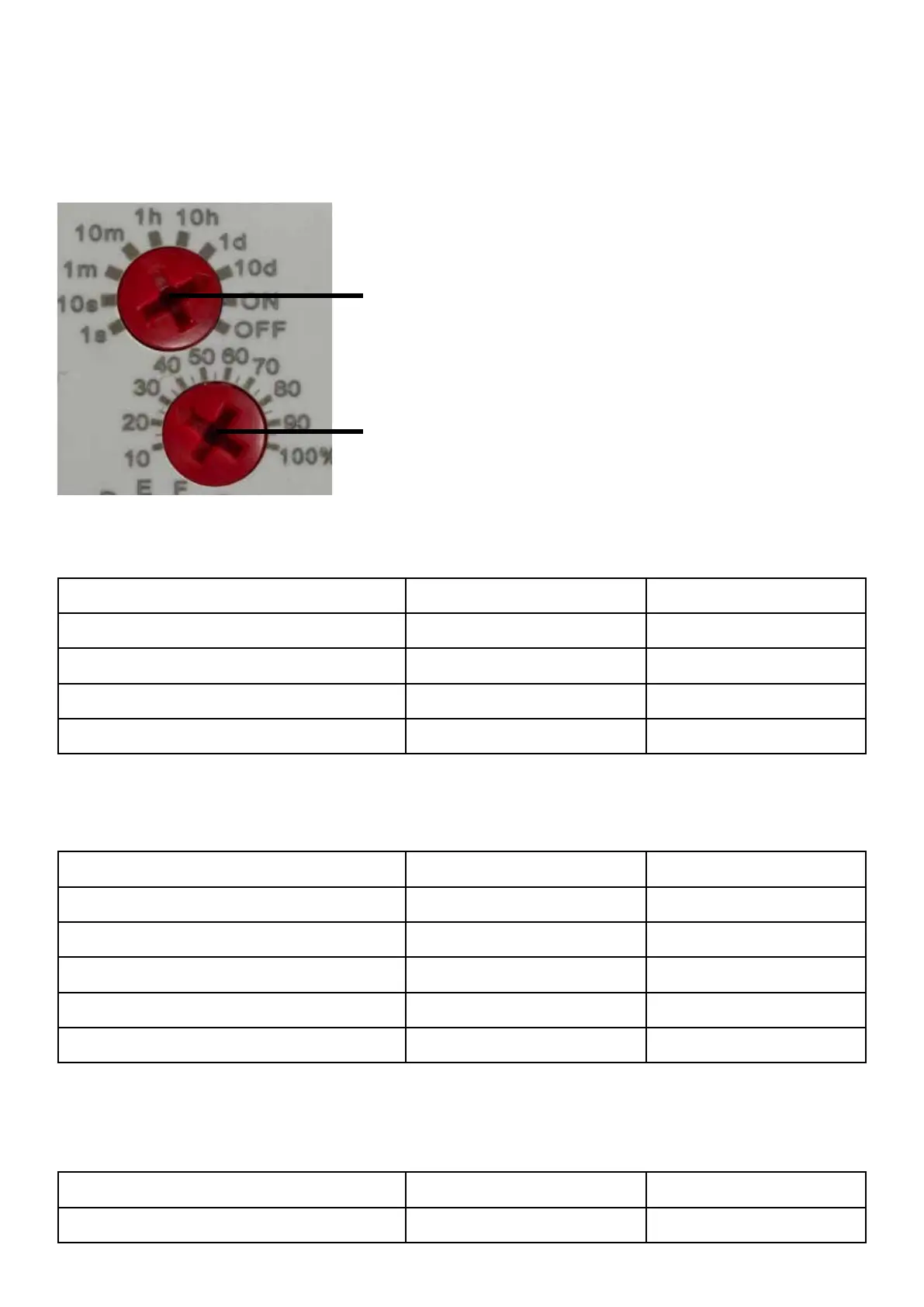
to suit your needs. Simply turn SCREW A and SCREW B to point to the different digits using the sequences shown in the
tables below:
SCREW A - This screw sets the time of the cycle.
(Factory set pointing to 10 d)
Use a pozi-drive screwdriver to turn the screw head,
so the arrow on the dial points to the appropriate digit.
SCREW B - This screw sets the frequency as a
percentage of the time set above. (Factory set
pointing to 30%)
26



 To Next Page