Evolution
©Evolution Controls Inc
14-June-2021
EVO/
TM
ECM-ACU-PRO . CONTROLS INC. EVO/
TM
Configurator
EVO/
TM
Configurator User Guide V3.0 Evolution Controls Inc. Page 16 of 26
The information in this document is confidential and must not be disclosed to any third party without the written consent of Evolution
Controls Inc.
o Reset button - return all settings to the initial uploaded values and stay in the Edit
dialog
The Accept and Reset button will be enabled after any change.
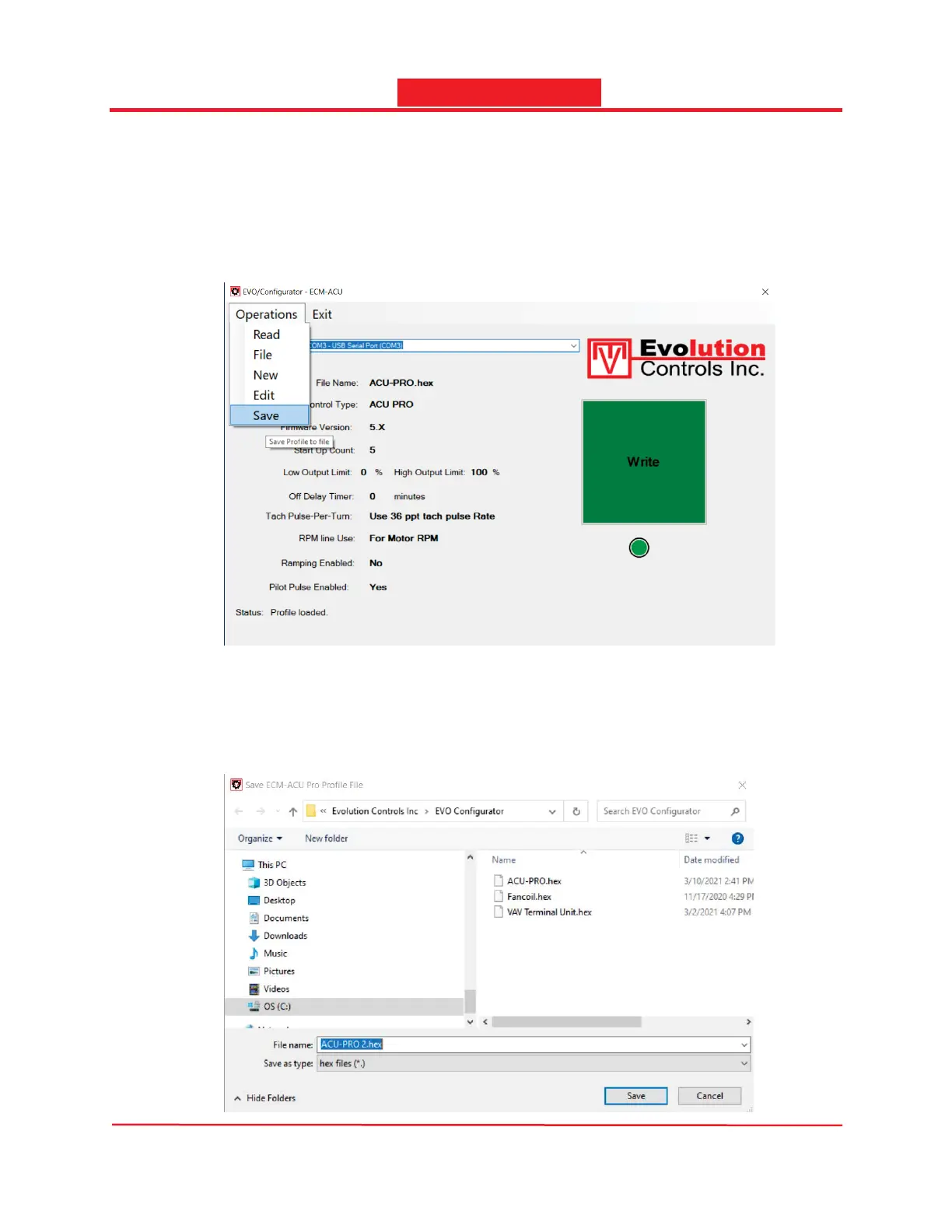
-After exited Edit Dialog, you can select the Save Option from the Operations drop down
menu. the Save dialog will pop up for you to save the profile in a file.
You can replace the settings in the same file or save the settings in a new file. The file is saved in
the EVO Configurator software install folder by default.
Note: You will need administrator privilege if the app was installed in the default install folder in
the Program Files (x86) folder.



 To Next Page