Evolution
©Evolution Controls Inc
14-June-2021
EVO/
TM
ECM-ACU-PRO . CONTROLS INC. EVO/
TM
Configurator
EVO/
TM
Configurator User Guide V3.0 Evolution Controls Inc. Page 25 of 26
The information in this document is confidential and must not be disclosed to any third party without the written consent of Evolution
Controls Inc.
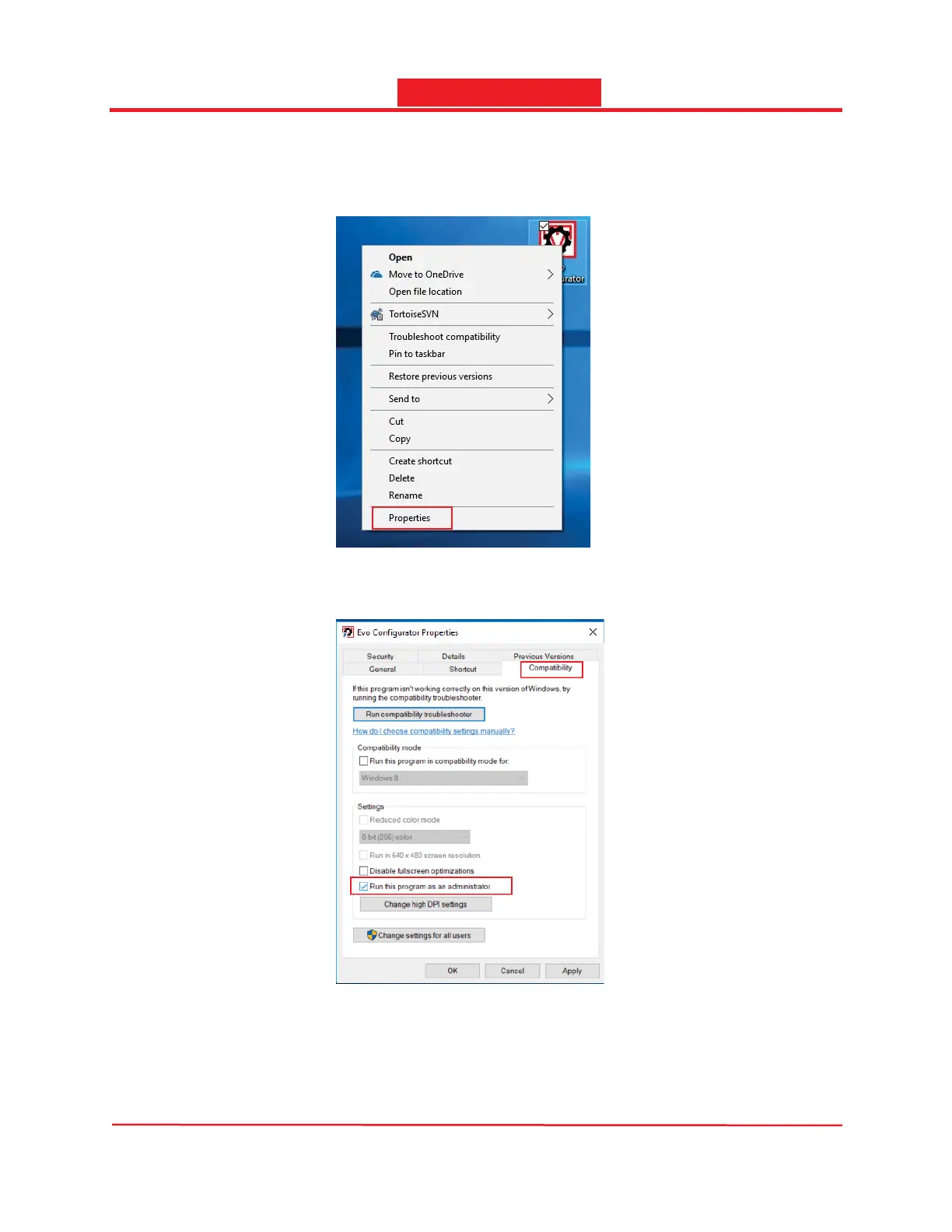
2. Run the Software in administrator mode
To run the software in administrator mode, right click the shortcut icon on the desktop and select
Properties.
In the Properties dialog, select the Compatibility tab and check the Run this program as an
administrator option. Click Apply to accept or click OK to accept and exit.
After enabled running as administrator, the user may need administrator credential to launch the app.
Simply repeat the process and uncheck the Run this program as an administrator option to disable
running in administrator mode.



 To Next Page