Evolution
©Evolution Controls Inc
14-June-2021
EVO/
TM
ECM-ACU-PRO . CONTROLS INC. EVO/
TM
Configurator
EVO/
TM
Configurator User Guide V3.0 Evolution Controls Inc. Page 26 of 26
The information in this document is confidential and must not be disclosed to any third party without the written consent of Evolution
Controls Inc.
3. Authentication
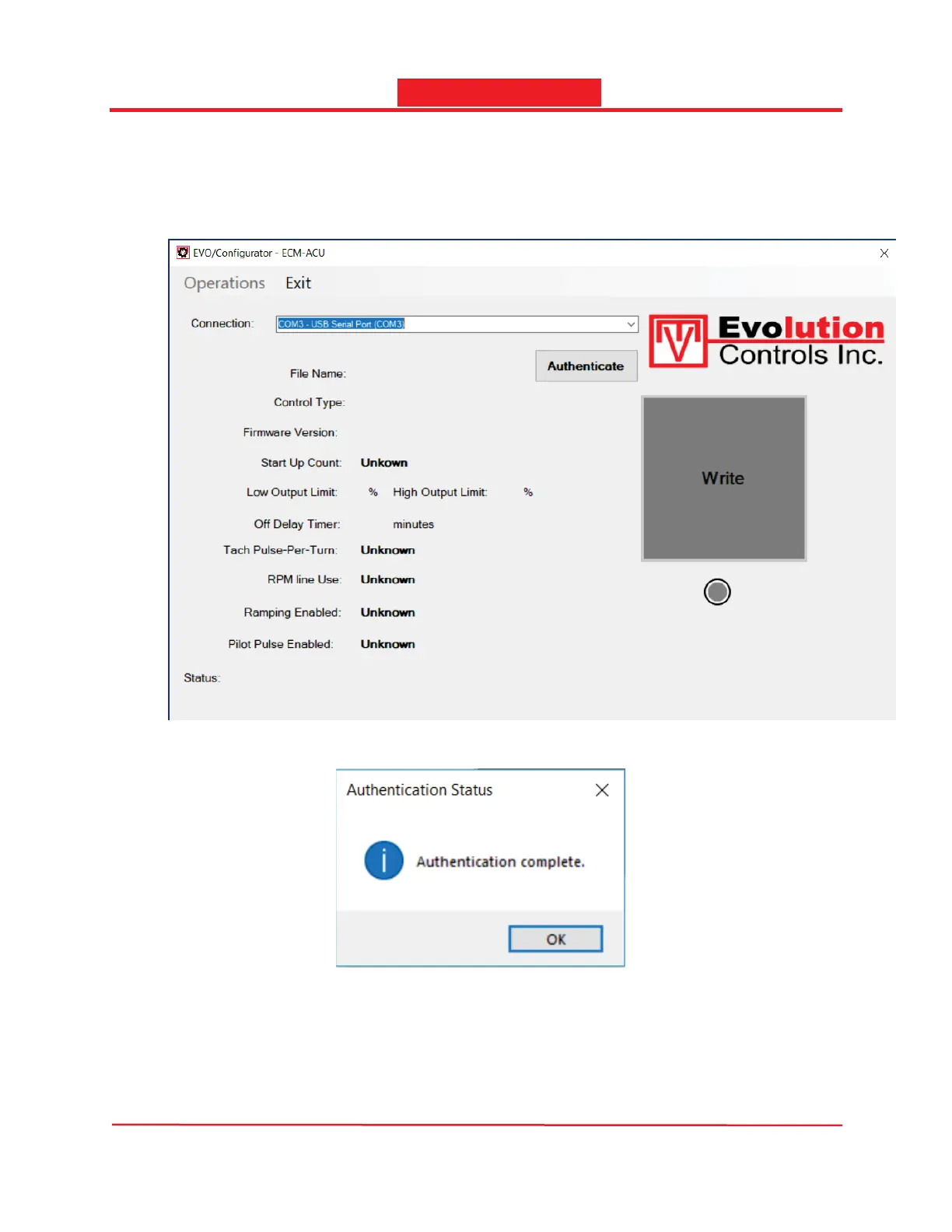
The first time the software is launched after installation, all functions are disabled until it has been
authenticated by using the IF-Tool module. Simply connect the IF-Tool module to the PC and launch the
software, select the COM port for the IF-Tool module and click the Authenticate button.
The message below will pop up after the software is successfully authenticated.
The software will run in normal mode after authentication. The Authenticate button will disappear.


 To Previous Page