Evolution
©Evolution Controls Inc
14-June-2021
EVO/
TM
ECM-ACU-PRO . CONTROLS INC. EVO/
TM
Configurator
EVO/
TM
Configurator User Guide V3.0 Evolution Controls Inc. Page 23 of 26
The information in this document is confidential and must not be disclosed to any third party without the written consent of Evolution
Controls Inc.
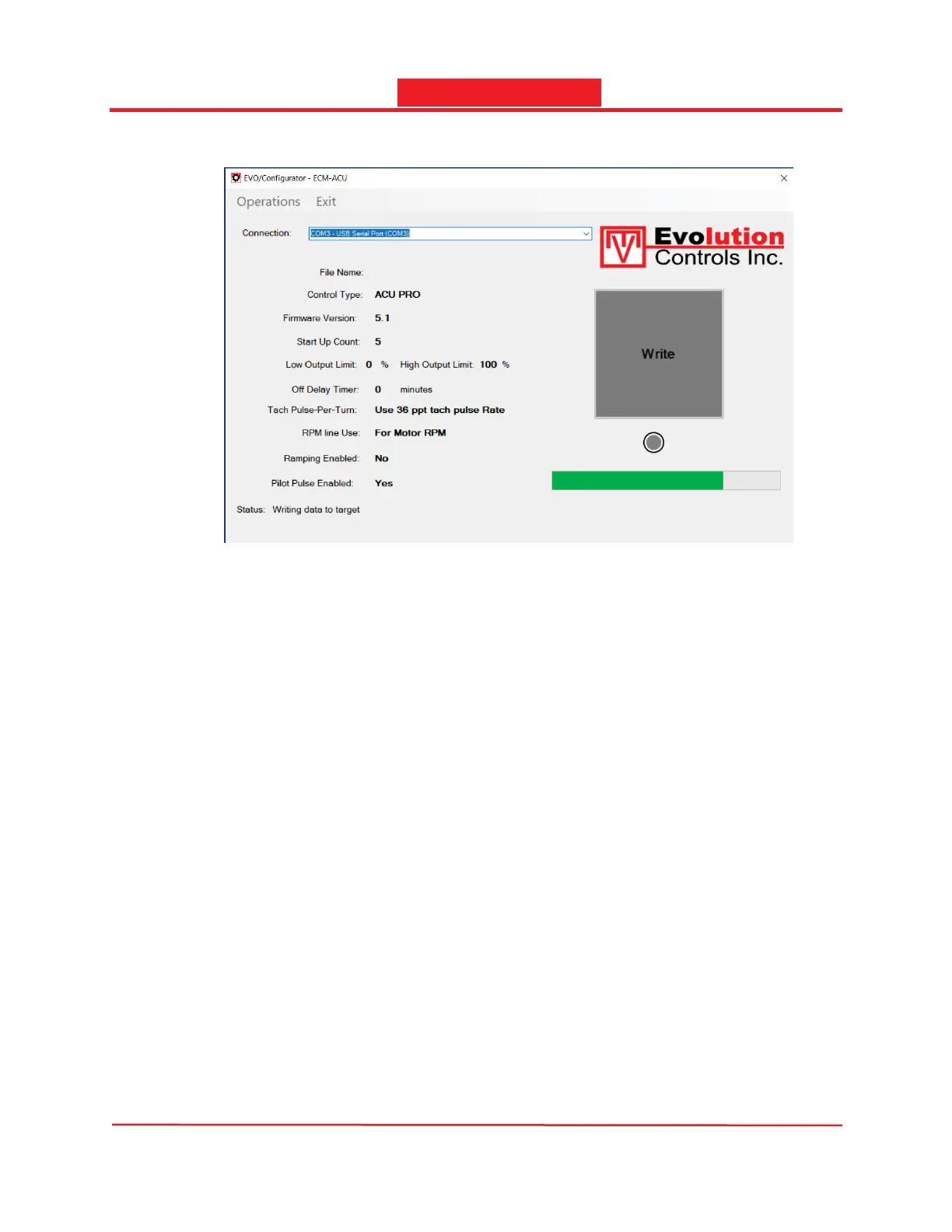
-The Progress bar shows the progress.
- When it is completed successfully, less than a couple of seconds, the LED below the Write
button turns green and the Status displays “Successfully completed writing data to the
target”; otherwise, the LED will turn red and the Status displays the cause of the failure.
Check connection and retry.
- Disconnect and connect the IF-CBL cable to the next ECM-ACU controller and press the
Write button to configure the next controller.


 To Next Page