User’s Manual
14
Quick Setup
The Quick Setup allows you to change a camera’s basic system, network,
video and audio settings.
System
You can change a camera’s system information, import or export all
settings, and add users or groups.
General
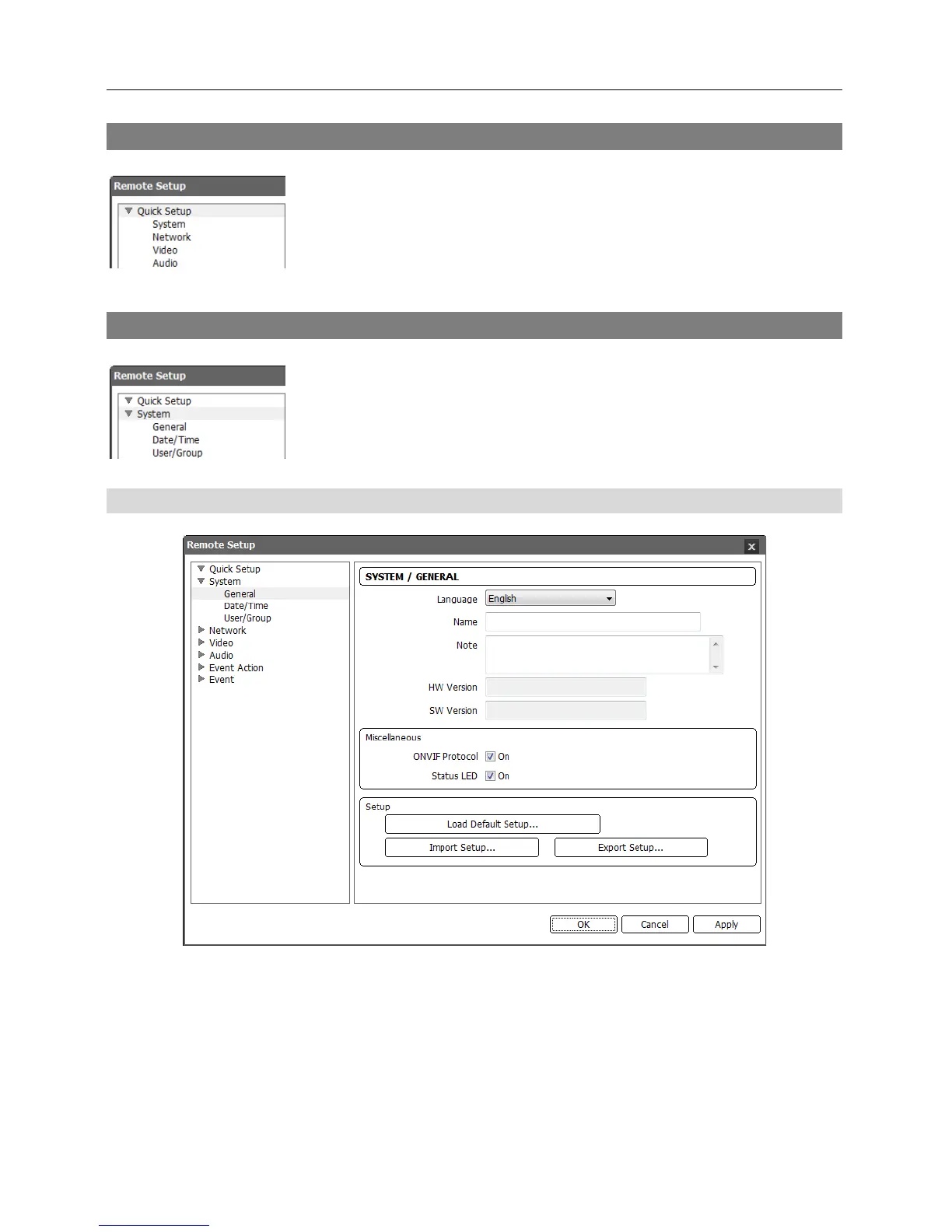
Language: Choose the language to be used during remote setup.
Name: Enter the camera name (up to 31 characters including spaces).
Note: Enter additional information about the camera.
HW Version, SW Version: These fields display the camera’s hardware and software versions.
Miscellaneous:
− ONVIF Protocol: Check the box to enable the ONVIF protocol. The ONVIF protocol is available
only for users belonging to the default user groups (Administrator, Operator, User).



 To Next Page