User’s Manual
24
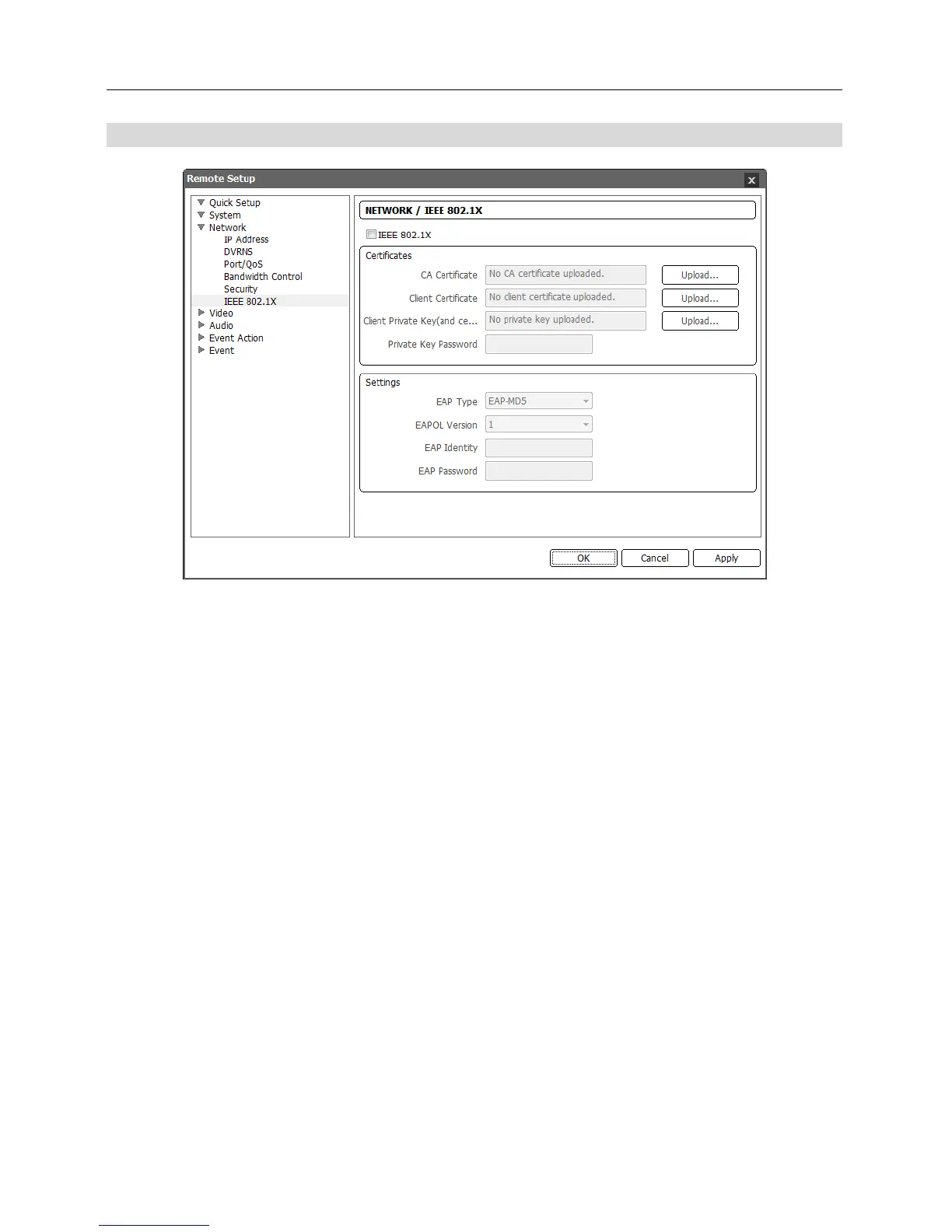
IEEE 802.1X
Check the IEEE 802.1X box to use the IEEE 802.1X network connection authentication function.
Certificates: Uploads a certificate or private key for network connection depending on the
authentication type. Entering a private key password might be required depending on the
authentication type.
Settings: Sets up EAP (Extensible Authentication Protocol).
− EAP Type: Select the type of authentication to be used for network connection authentication.
The authentication type must be identical to the authentication type that the authentication
server uses.
− EAPOL Version: Select the EAP version.
− EAP Identity, EAP Password: Enter the ID and password for the authentication.
NOTE: For the IEEE 802.1X network connection authentication function to work properly, the
authentication server and AP should support the IEEE 802.1X authentication.



 To Next Page