WARRANTYINFORMATION
Pleasekeepthisdocumentinasafeplace.DONOTreturnthisdocumenttoPacificCommunications.
EQUIPMENTDETAILS
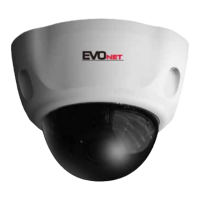
MODEL SERIALNUMBER DATEOFPURCHASE
IMPORTANTINFORMATION
PLEASERETAINALLMANUALSSUPPLIEDWITHTHEEQUIPMENTANDPROOFOFPURCHASE.
PROOFOFPURCHASEWILLBEREQUIREDIFYOUNEEDTOMAKEAWARRANTYCLAIM.
PleaseensurethatthefollowinginstructionsarefollowedwhenoperatingtheEquipment.
x Thisisacommercialgradeproductandshouldonlybeinstalledorservicedbyaqualified
technician.
x PleasereadtheOwner’sManualbeforeinstallingthedevice.
x NeverplacetheEquipmentinaconfinedspace(egbookcase,builtincabinet)unless
properventilationisavailable.Itisadvisedtoleavea10cmspacearoundtheunit.
x Topreventfireorshockhazard,donotexposetheEquipmenttowater.Ensurethat
objectsfilledwithliquid(egvases)arenotplacedonorneartheEquipment.
x AvoidkeepingorusingtheEquipmentinadusty,wetorelectromagneticenvironment.
x Beforemakingawarrantyclaim,ensurethatyouhavereadthe“Troubleshooting”section
oftheOwner’sManual.
PACIFICCOMMUNICATIONS
AdivisionofHillsHoldingsLimitedACN007573417
Unit10,331InglesStreet
CityLinkEstate,
PORTMELBOURNEVIC3207,AUSTRALIA
www.pacom.com.au



 To Next Page