23
exactmeters.com
FOR BEST ACCURACY
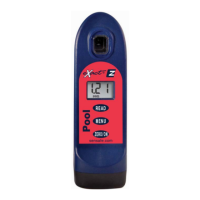
The Pool eXact
®
EZ photometer has a 5 minute auto-shutoff timer.
Each test menu can store 20 results. To retrieve the stored results,
go to the desired test using the MENU key. When the desired
test is displayed, press and hold down the MENU key. Continue
holding down the MENU key to scroll the stored results for that
test, starting with the most recent result. The meter will display,
from memory, the last 20 readings in sequence beginning
with -20, which is the latest result, followed by -19, which is the
2nd latest result, etc; and fi nally -01, which is the oldest result
retained. Only the last 20 readings are stored in each menu. This
meter is able to store 160 results in memory (20 in each menu).
Before testing rinse CELL and clean with brush thoroughly. (Rinsing
minimizes the potential for cross-contamination from a previous test.)
Always fi ll the cell to capacity (4mL); be careful not to splash
liquid over the side.
When testing pH, it is recommended to run the pH test prior to
running Chlorine. If you choose to run the pH after Chlorine, ensure
you thoroughly clean the cell with water and the brush provided.
Test immediately after fi lling the cell with the water sample.
Due to the strip slitting process, you may fi nd one or two strips that are
noticeably smaller or larger in width than the normal strips in the bottle.
These should be discarded. Using these strips may give unreliable results.
Meter is not compatible for use with powder pillows, tablets, or
liquids from other manufacturers.
Dip strip for entire countdown.
Each eXact
®
Strip Micro is valid for ONLY one test. Discard
strip after use.
Dry the outside of the meter and inside the mixing cap before
storage to prevent corrosion.
Remove batteries before storing for prolonged periods.
Store the meter and test materials out of direct sunlight and
away from chemical storage areas.
Minimize exposure of meter and test reagents to heat above 90°F (32°C).
When installing batteries, verify the O-ring is still attached to the
screw before tightening.
Even if all pads are not immersed in water, DO NOT BEND THE
STRIP. Make sure the strip touches the bottom of the CELL
while dipping the strip for 20 seconds.
To ensure lab quality results, it is recommended to clean the
cell with the brush provided after every test. Use Distilled White
Vinegar to clean the cell after testing for Phosphate to remove
reagent deposits from the cell wall.


 To Next Page