User Manual
Excel Extice
Page 10
Control units
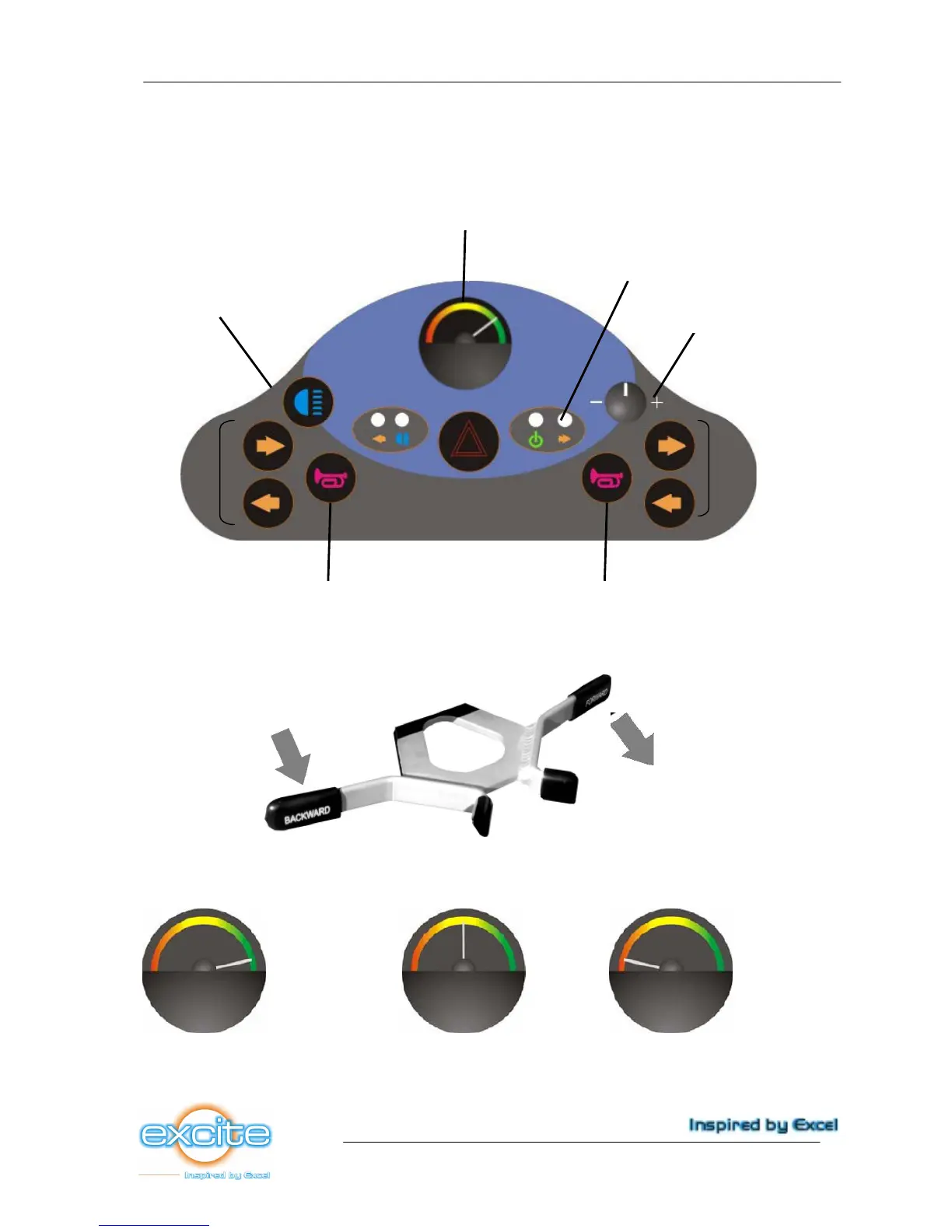
The control units of the Excite are very clearly arranged on the dashboard (picture 29). The charging
plug is located on the tiller, the freewheel lever on the rear right side of the scooter. The status
indicator is located on the dashboard. See the below picture for a survey of all control units.
Picture 29
The control lever (gas lever, picture 30)
Picture 30
Battery indicator
This indicates the battery charging amount (picture 31). This also affects the range at the time. The
indication is divided as below:
Full range Decreasing range Limited range
(90% - 100% capacity available) (60-70% capacity available) (20-30% capacity available)
Picture 31



 To Next Page