User Manual
Excel Extice
Page 5
Make sure the scooter is off before getting in or out of it. Set the speed control knob according to your
driving ability. We recommend that you keep the speed at the slowest position (fully counter-
clockwise) until you are familiar with the driving characteristics of this vehicle.
Picture 3
Learning the scooter
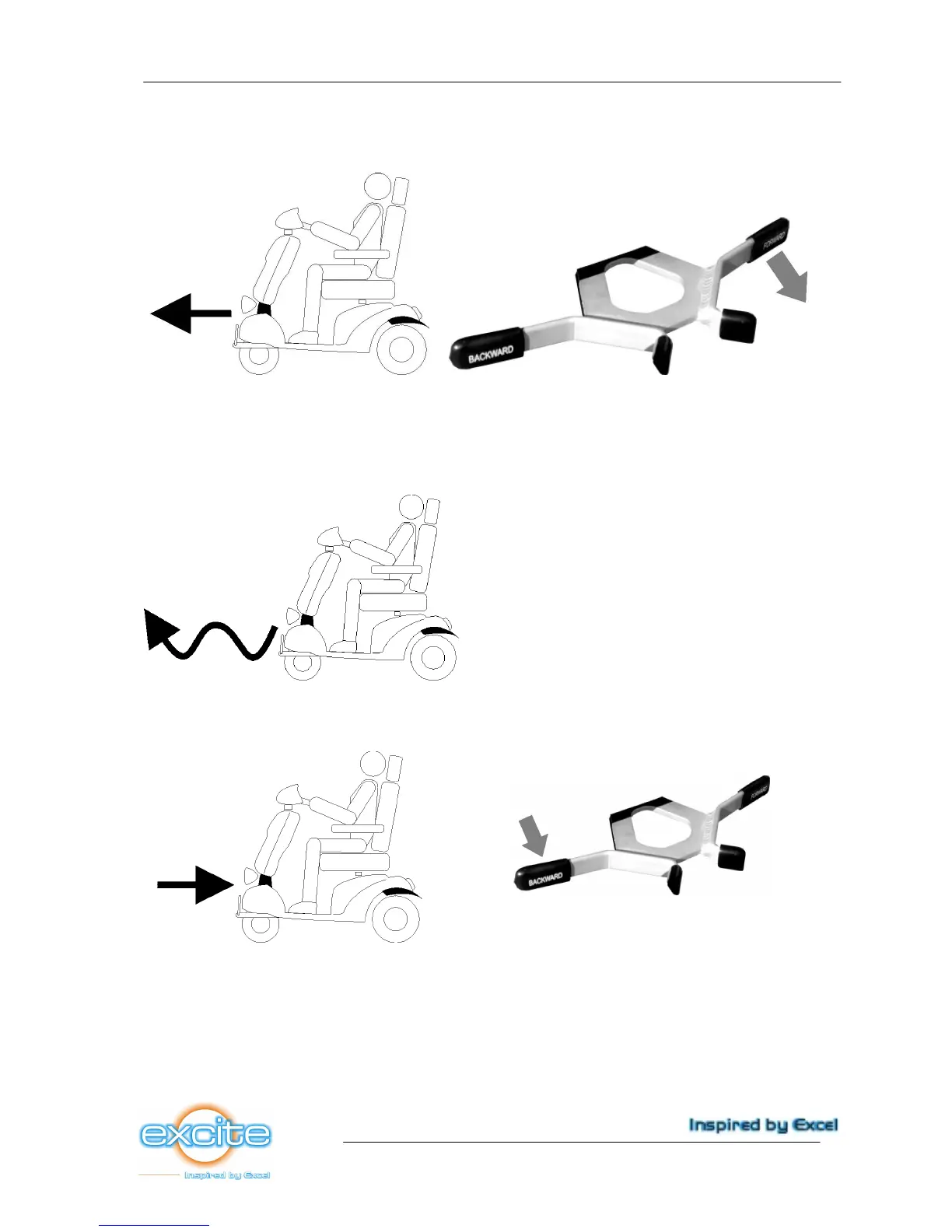
Now, practice moving forward by pulling the right lever. Be sure to set the speed to the lowest
setting (1).
Picture 4
After becoming familiar with moving forward, practice making ‘S’ turns (picure 4).
Picture 5
Once you are familiar with ‘S’ turns, practice moving in reverse. When driving backward the scooter
already drives slower than forward, but for your safety we recommend to put the setting to the lowest
level (1).



 To Next Page