User Manual | Excel Galaxy II
The Excel Galaxy II comes standard with theft prevention, by means of an ignition key.
The ignition is located under the dashboard on the tiller.
The key should always be in the ignition when you use your scooter. To turn on the scooter, turn the
key clockwise and turn the key counter-clockwise to turn off the scooter.
6.3. Ignition
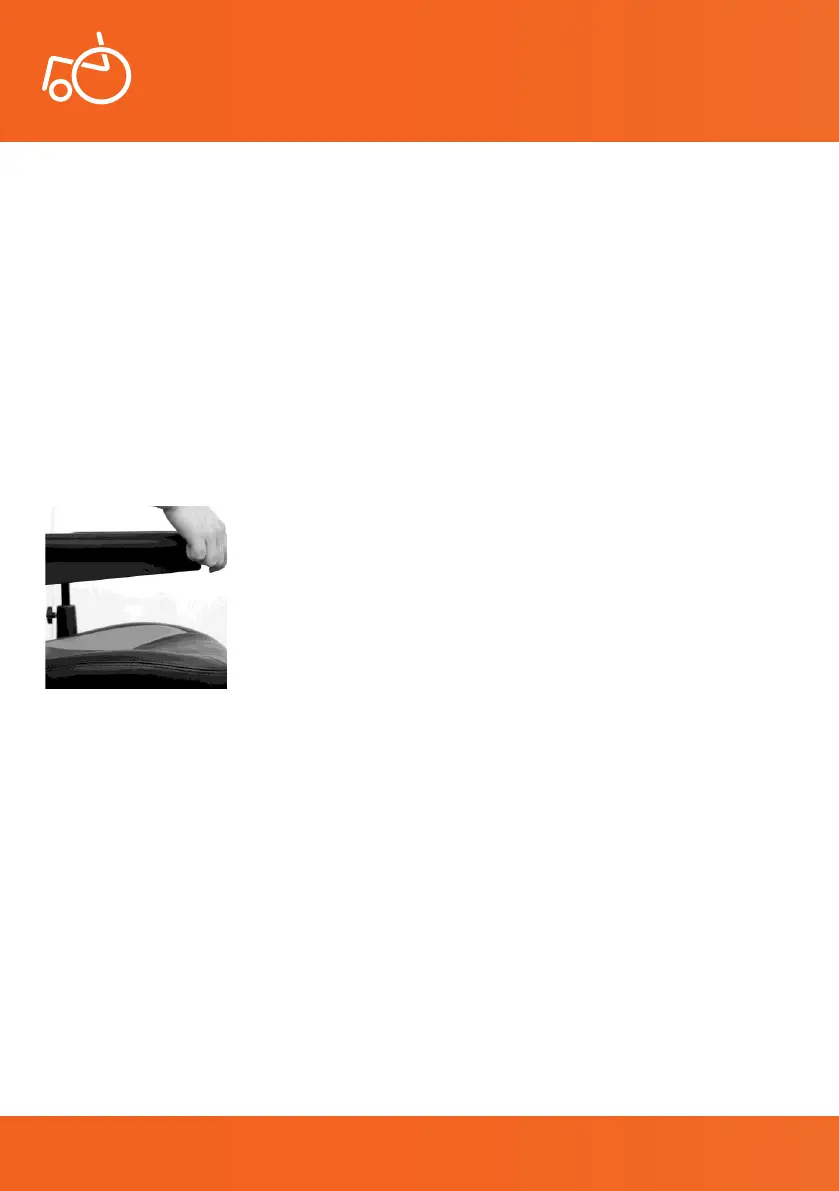
The Excel Galaxy II is equipped with height and width adjustable ip-back removable armrests. To ip
the armrests up, simply pull the armrests upwards. This makes getting on and off your scooter easier to
do.
6.4. Armrests
Photo 4 Down armrest
15
© 2019 Excel, part of Van Os Medical Ltd. | Excel House | Ashbrooke Park | Lincoln Way | Sherburn-in-Elmet | North Yorkshire | LS25 6PJ
T: +44 (0) 1977 681 400 | E: sales@vanosmedical.com | W: www.vanosmedical.co.uk
© 2019 Excel, part of Van Os Medical Ltd. | Excel House | Ashbrooke Park | Lincoln Way | Sherburn-in-Elmet | North Yorkshire | LS25 6PJ
T: +44 (0) 1977 681 400 | E: sales@vanosmedical.com | W: www.vanosmedical.co.uk


 To Next Page