21
STEP 11
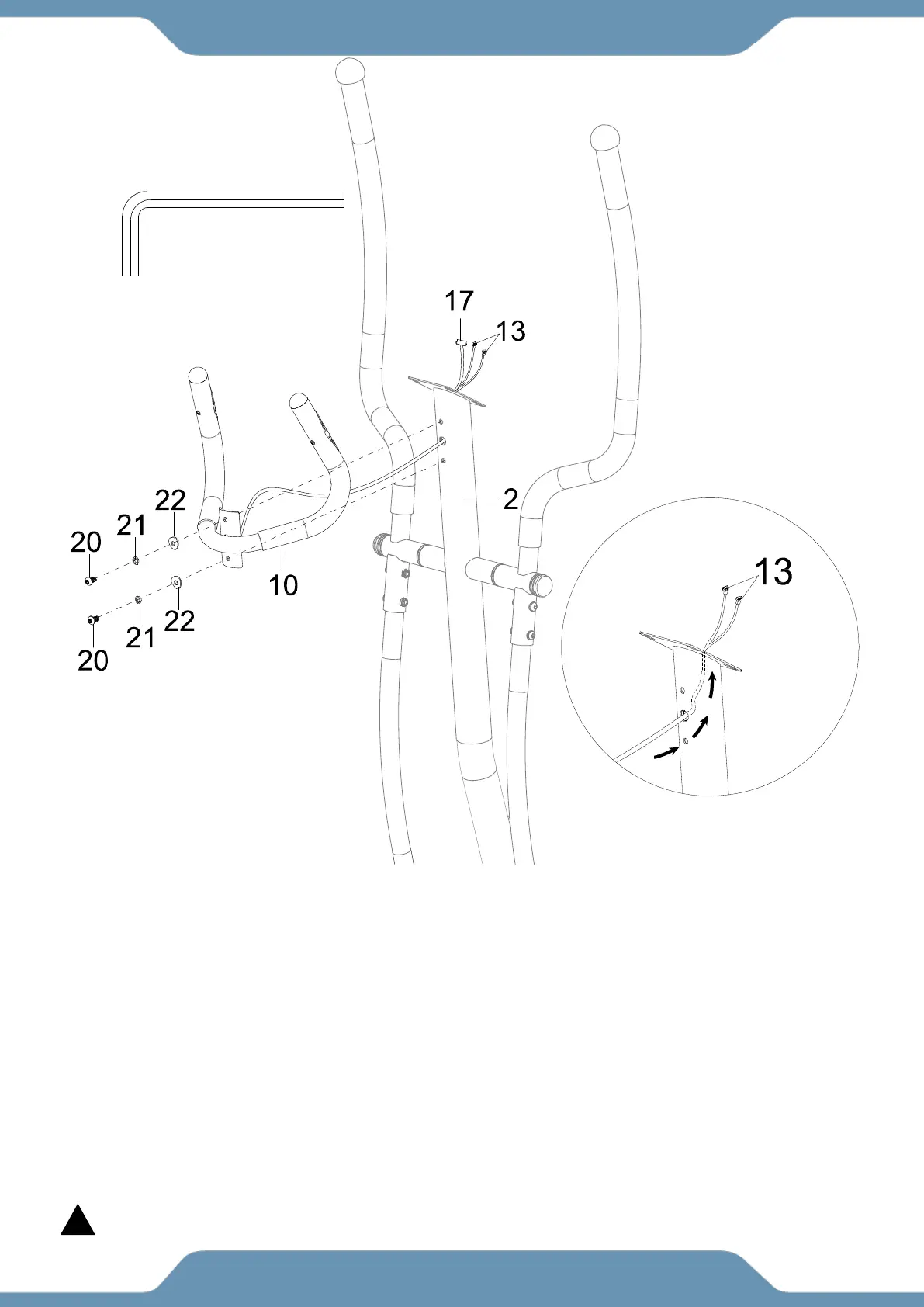
11a. Removing The Hardware From The Front Post – Remove the two Hex Bolts (20), two
Spring Washers (21) and two Big Curved Washers (22) from the Front Post (2) using the 6mm
Allen Wrench provided.
11b. Installing the Handlebar – Gently insert the Hand Pulse Sensor Wire (13) into the Front
Post (2) and pull them out from the top of the Front Post (2) as you are mounting the Handlebar
(10) (See Fig. F). Attach the Handlebar (10) to the Front Post (2) with two Hex Bolts (20), two
Spring Washers (21) and two Big Curved Washers (22) . Tighten the hardware using the 6mm
Allen Wrench provided.
NOTE: Console Wire (17) should already be coming out from the top of the Front Post (2).
To prevent damage, ensure that none of the wires are bent or pinched during installation.



 To Next Page