22
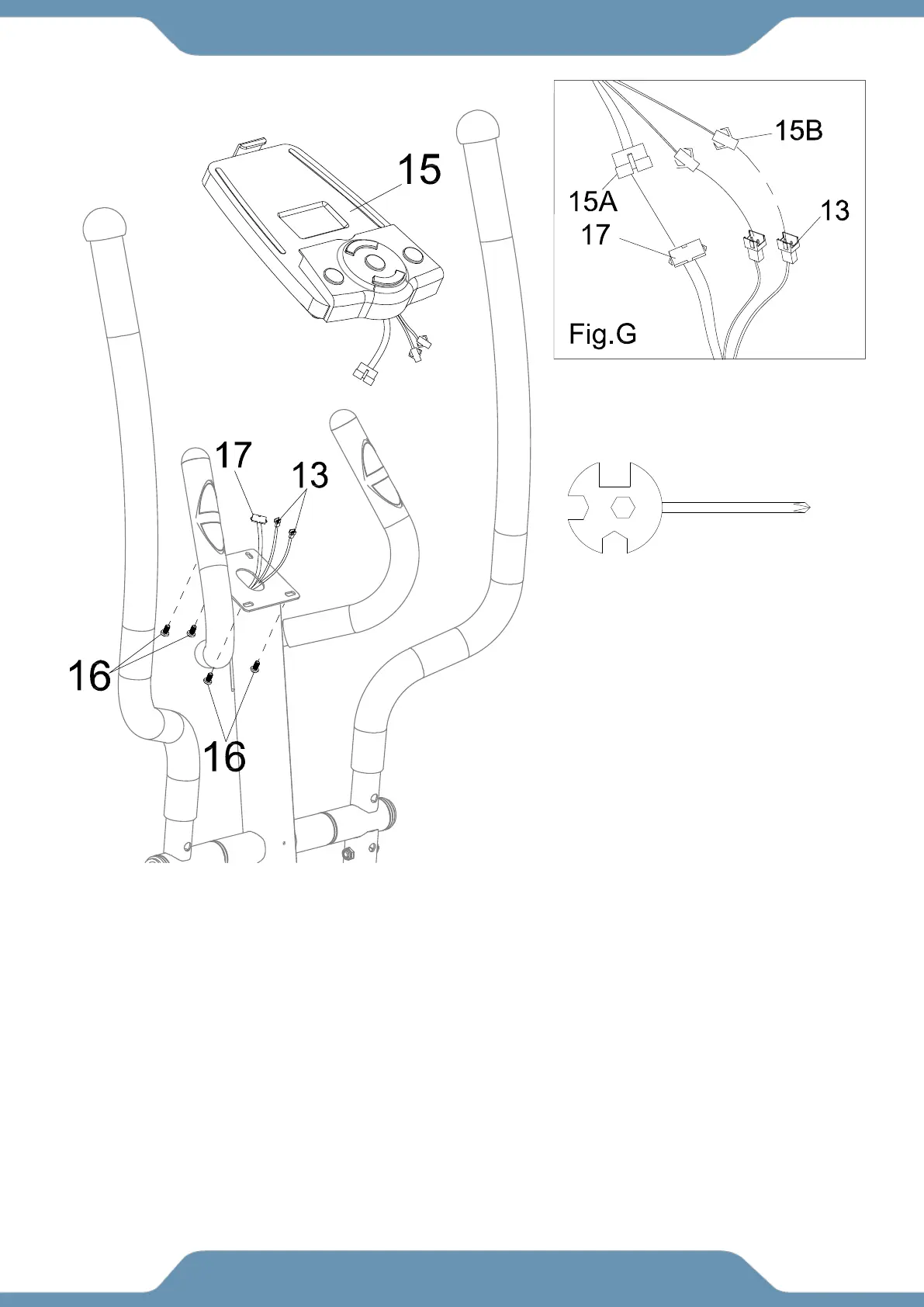
STEP 12
12a. Removing The Hardware From The Console – Use the Multi Hex Tool with Phillips
Screwdriver to remove the four Hex Bolts (16) from the backside of the Console (15).
12b. Connecting The Console Wires – Connect the Console Wire (17) and the Hand Pulse
Sensor Wire (13) to the wires at the rear of the Console (15) as shown in Figure. G.
12c. Installing The Console –Mount the Console (15) to the top of the Front Post (2), while the
carefully inserting the excess length of cables into the top plate of the Front Post (2).
CAUTION: To prevent damage, ensure the wires are NOT folded or pinched during installation.
Tighten the Hex Bolts (16) that were previously removed with the Multi Hex Tool with Phillips
Screwdriver until firm and secure.
Multi Hex Tool with Phillips
Screwdriver



 To Next Page