COMPUTER OPERATION
Manual Process
Step 1:
AC power on:
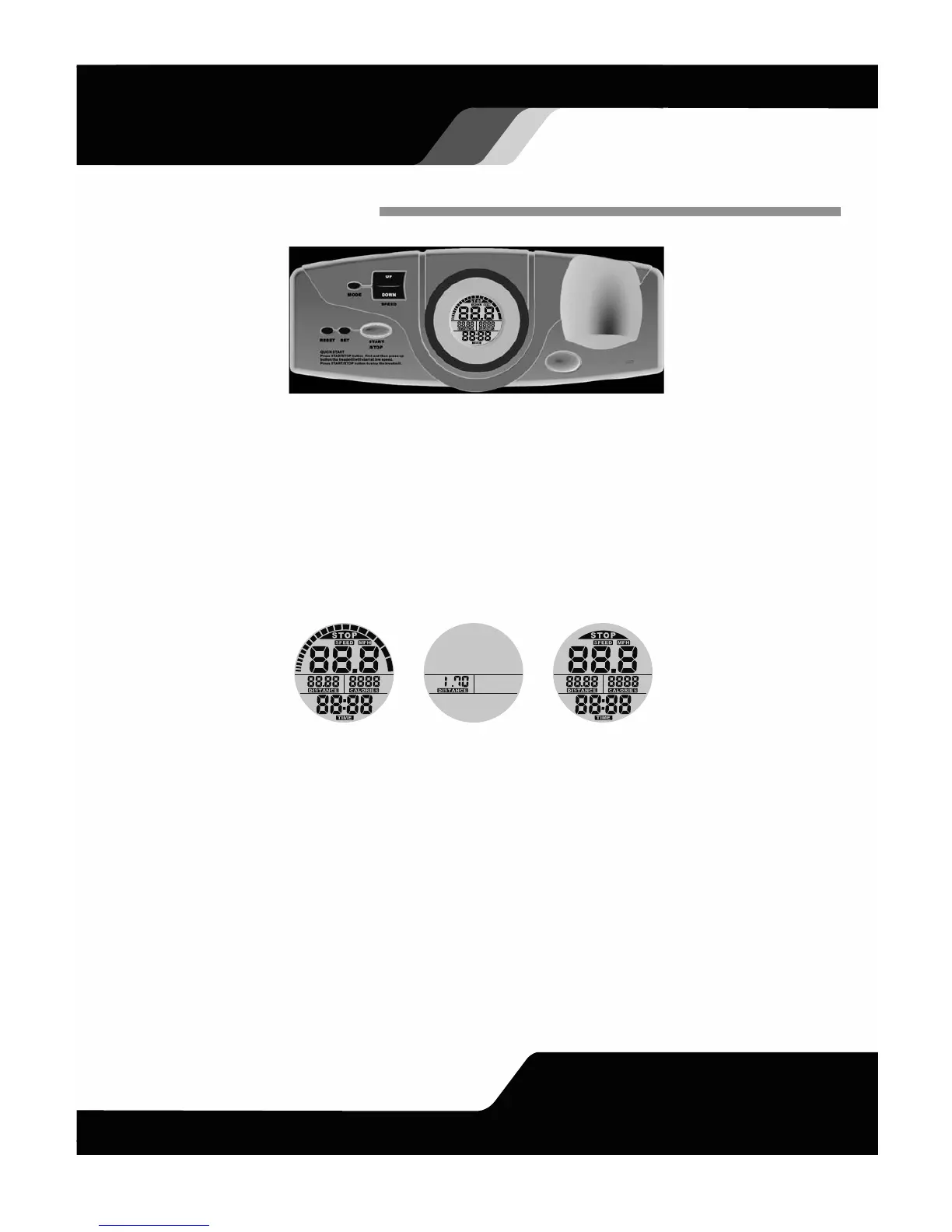
Segments test for 2 seconds (figure 1), the speed setting shows up after a long beep for 2 seconds (figure 2).The
monitor display then switches to CLOCK setting in 1 second. To set "Hour", first press MODE to enter setting. Then,
follow same process to set up "Minute". The monitor display will quit set up mode in 6 seconds if no button is being
pressed. After setting up is done, the monitor will display training mode that is allowed to preset each function target.
(figure 3)
Step 2:
After training starts:
(1) If the Safety key is installed, press the START/STOP button to start the treadmill. (figure 4). The initial running
speed is 0.4 m/h, it can be changed by pressing the UP button with each increment (or decrement by the DOWN
button) of 0.1 m/h until the maximum speed of 4 m/h. If the button is pressed down for 1.5 seconds, the
increment and decrement will be doubled, and stop when the button is released. While the running speed is
adjusted, it is not able to have a loop function.
(2) In the STOP mode, press the MODE button to set up TIME (0:00~99:00), DISTANCE (0.00~99.90), and
CALORIES (0~9990). The blinking function is for presetting (figure 5). Press the SET button to set each target.
Press the RESET button to clear the function value to zero.
(3) In the STOP mode, press down the RESET button for 2 seconds to make all function values RESET.
Figure 1
Figure 2
Figure 3
10


 To Next Page