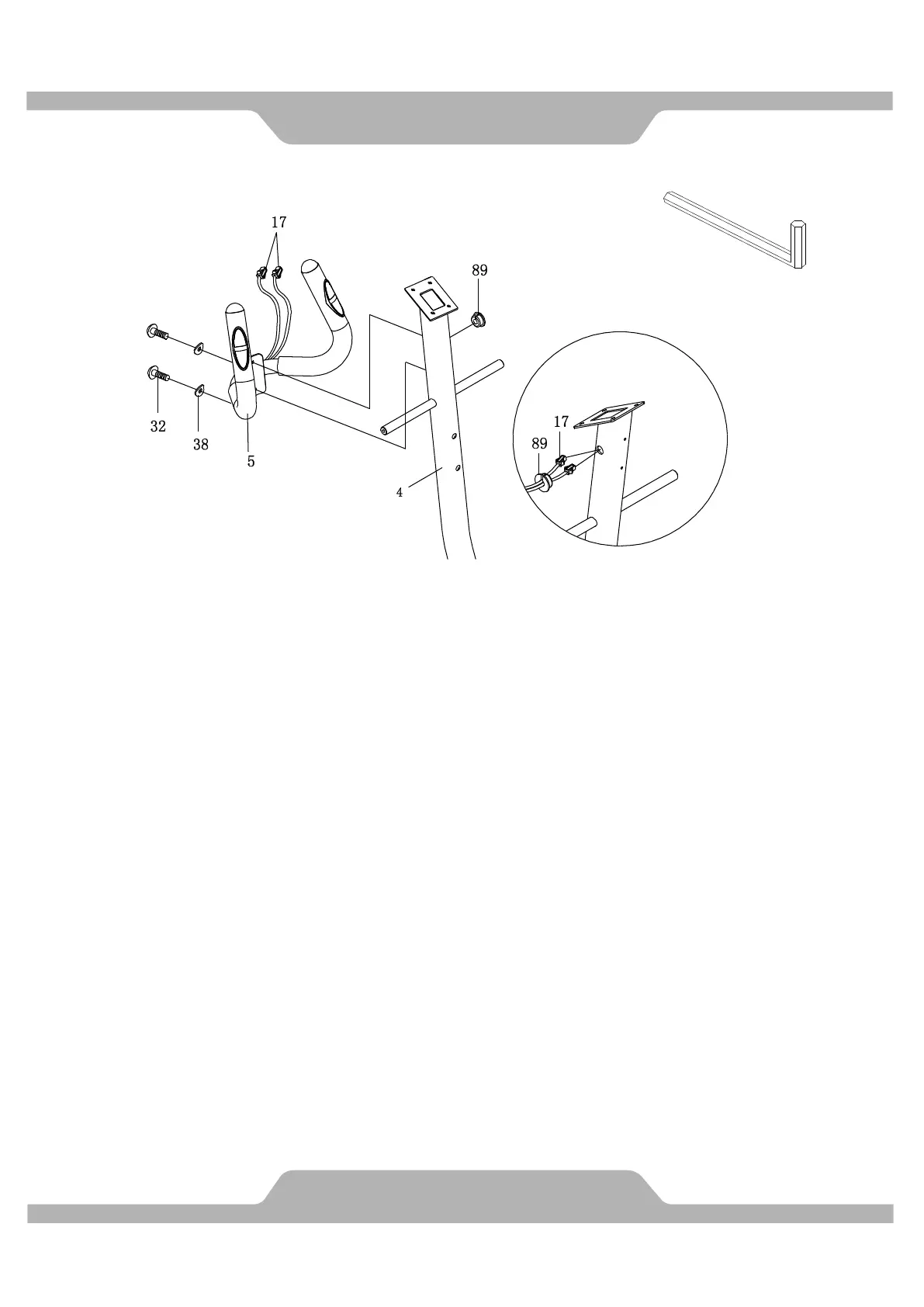
3. Assemble Handlebar.
A. Use Allen Wrench to remove two Hexagon Socket Head Bolts (32) and two Curve
Washers (38) from the Front Post (4).
Take off the Wire Plug (89) from the right hand side of the Front Post (4).
B. Put Hand Pulse Sensor Wires (17) from the Handlebar (5) through the Wire Plug (89).
Then insert the wires into the hole located on the right hand side of the Front Post (4).
Pull the Hand Pulse Sensor Wires (17) from the top end of the Front Post (4). Attach the
Wire Plug (89) back to the Front Post (4).
C. Attach the Handlebar (5) on top of the Front Post (4), and then tighten the two Hexagon
Socket Head Bolts (32) and two Curve Washers (38) by Allen Wrench. Make sure it’s
firm and secure.



 To Next Page