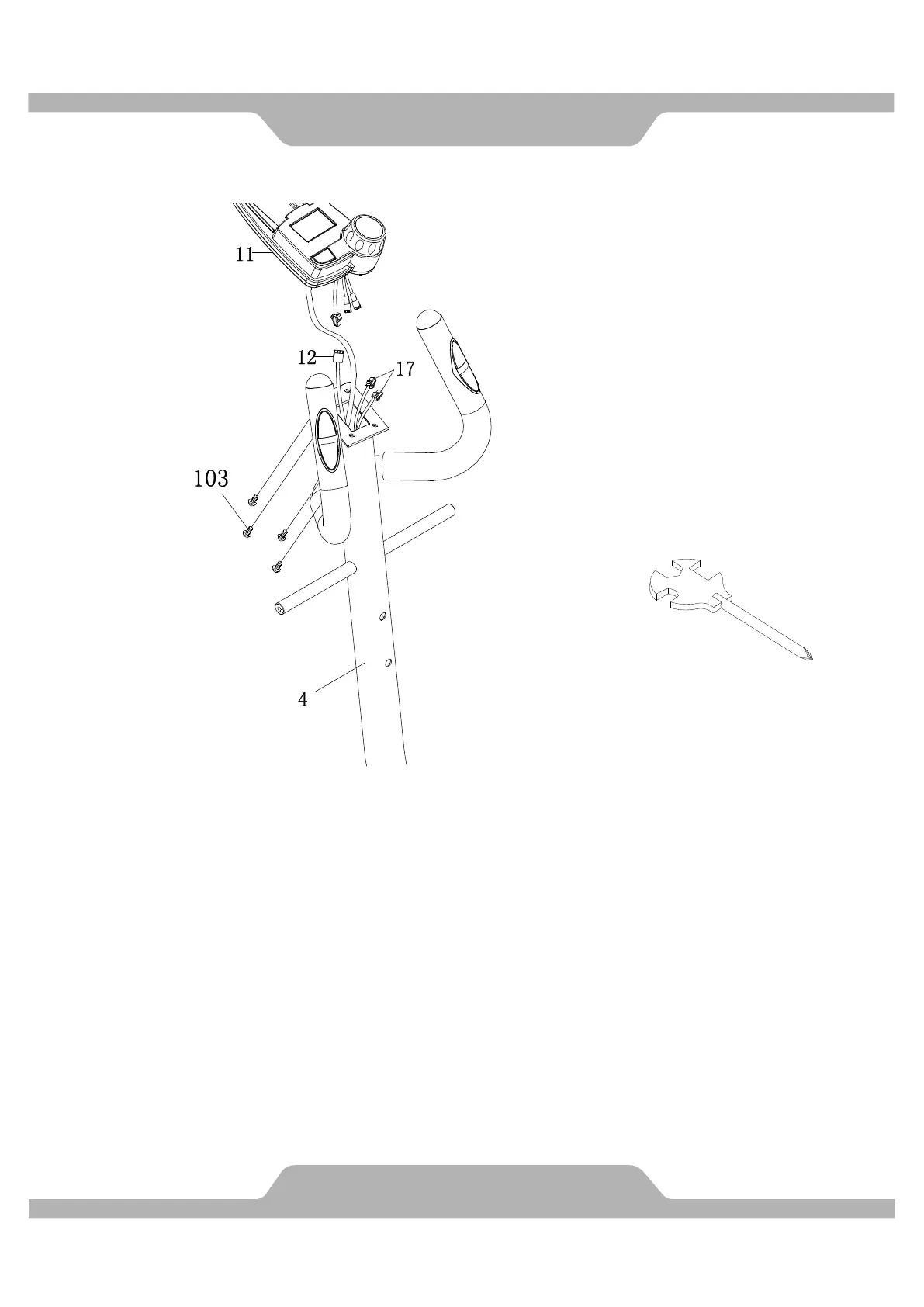
4. Computer Installation
Connect the Hand Pulse Sensor Wires (17) and Extension Sensor Wire (12) to the wires
that come from the Computer (11). Tuck wires into the Handlebar Post (4). Attach the
Computer (11) onto the top end of the Handlebar Post (4) with four Cross Recessed Pan
Head Bolts (103) that were removed.
Use the Multi Hex Tool with Phillips Screwdriver to tighten the Cross Recessed Pan Head
Bolts (103) until firm and secure.
Multi Hex Tool with Phillips
Screwdriver



 To Next Page