14
Seat Adjustment:
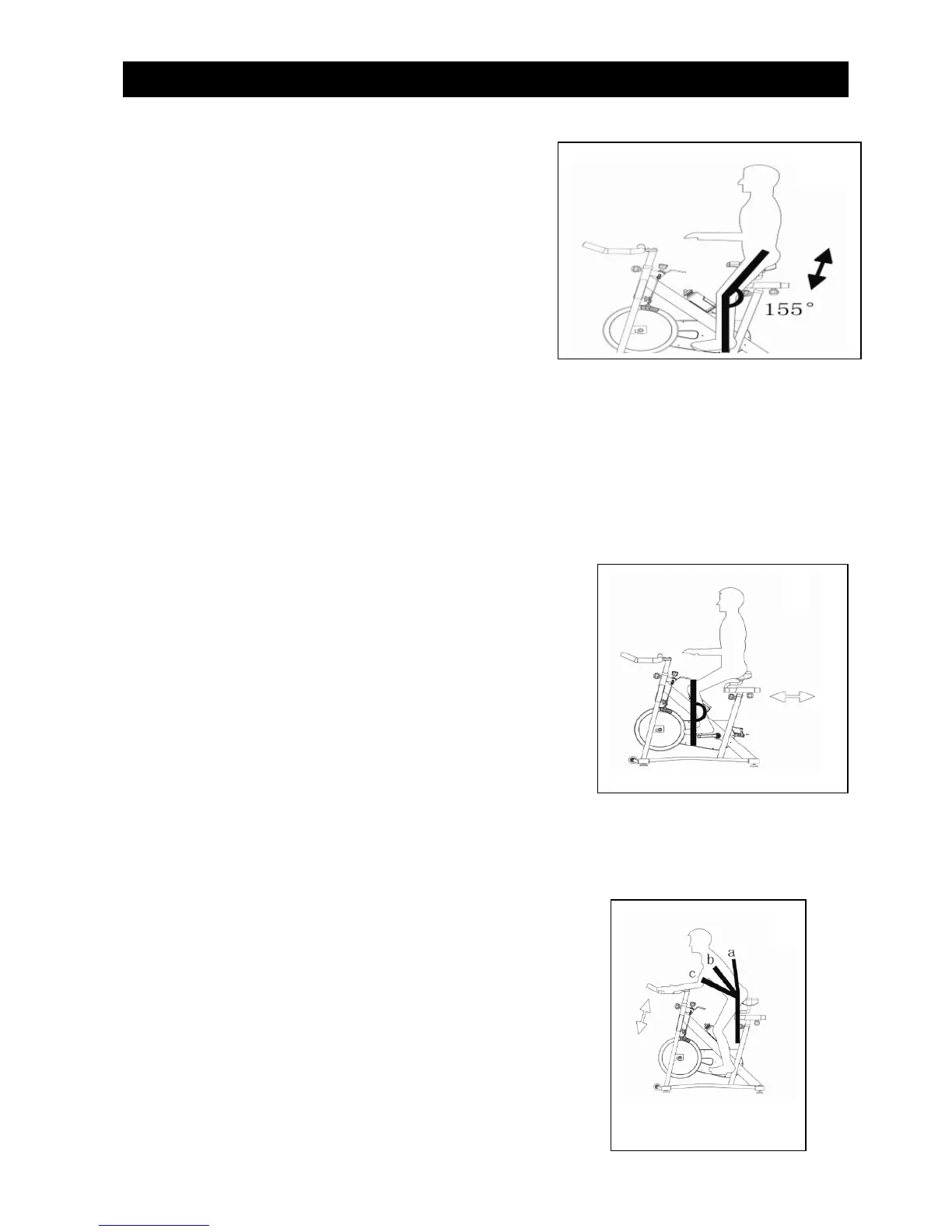
Adjusting the Seat Height
1.Stand next to the seat post and adjust the seat to
hip height.
2. Rotate the crank so that the pedals are in the vertical,
12 and 6 O’clock, position.
3. Place your foot in the toe cage of the pedal closest
to the floor and mount the bike. Ensure that the ball of
your foot is over the center of the pedal. Your leg should be slightly bent at the knee.
4. If your leg is too straight or your foot cannot touch the pedal, you will need to lower the seat.
If your leg is bent too much you will need to raise the seat.
5. Dismount the bike and loosen the seat post adjustment handle. Once loosened, slide the seat post up
or down as necessary.
6. When the seat is in the desired position, tighten the adjustment handle to secure the seat post.
7. Note the final position mark on the seat post for future reference.
Adjusting the Seat Forward / Backward Position
8. Sit on your bike with the cranks in the 3 and 9 O’clock
positions. A proper forward/backward position of the seat
is achieved when the small bump at the top of the shin
of your forward leg, directly below the knee cap
(tibial tuberosity), is above the pedal axle.
9. Dismount to adjust the seat forward or backward for a better fit. Loosen the seat adjustment lever
and slide
the seat forward or backward as desired; then tighten.
10. Note the final position mark under the seat for future reference.
(Repeat steps 2 through 7 if necessary.)
Handlebar Adjustment:
Adjusting the Handlebar Height
1. Handlebar height is a matter of preference.
Start with the handle bars at the same height as the seat.
Adjusting the handlebars higher will give the rider
Operating Instructions



 To Next Page