14
- Smart weather station can only connect to
2.4G WI-FI network
- Enable the location information in your
mobile when you add your console to App.
- User may press and hold [ SENSOR / WI-FI
] for 6 seconds to exit AP mode any time.
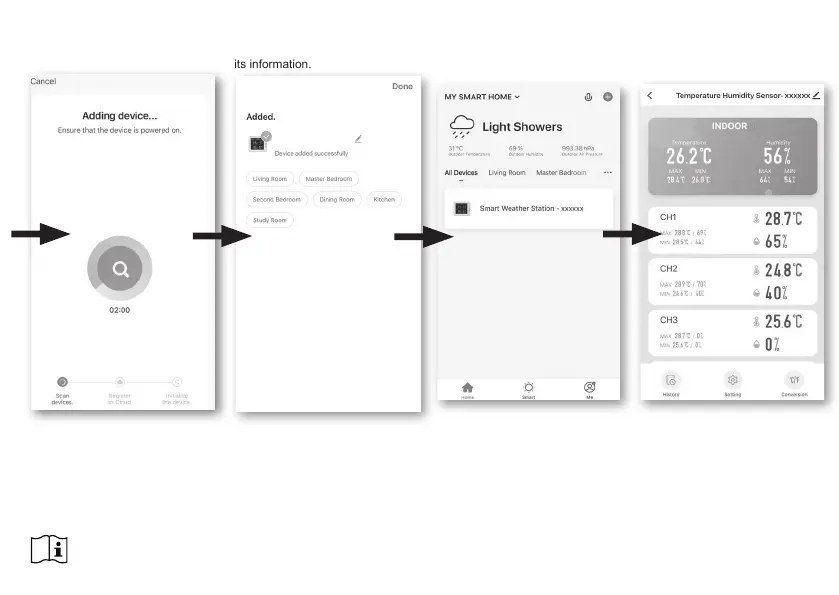
Step 5:
There will auto scan and register
your device.
Step 6:
Once it success, the console icon
will shown, and you can customize
its information.
Step 7:
The console will appears on your
Home Screen. Tap to see the
readings.
3. The console will automatically exit AP
mode and return to normal operation once it's
connected to Wi-Fi router.
NOTE :



 To Next Page