20
Step 2
Step 1
reliability and completeness of IOT applications.
OTHER FEATURE IN SMART LIFE APP
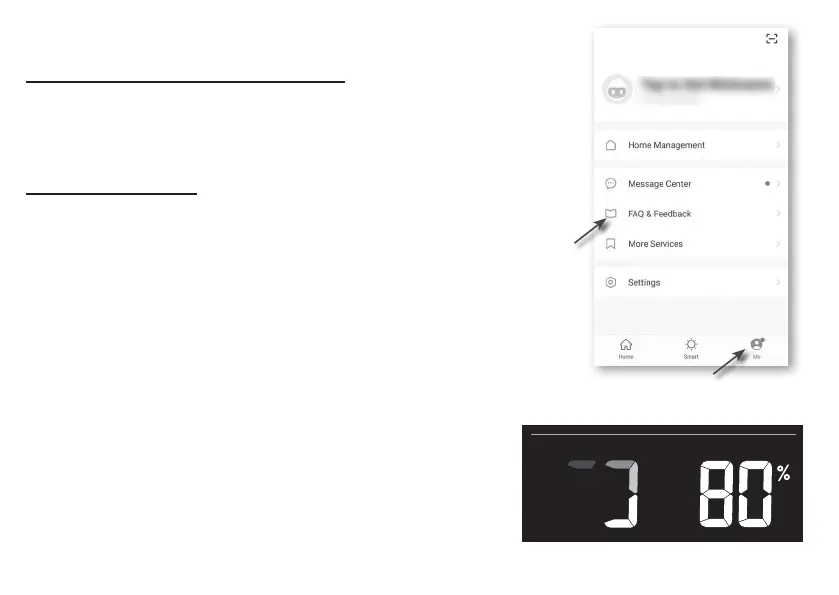
Smart Life have many advance features, please check the FAQ
in the App to know more about Smart Life. Tap "Me" in home
page then tap the FAQ & Feedback for more detail.
FIRMWARE UPDATE
The console can be updated through your WI-FI network.
If new rmware is available, a notication or pop up
message will be shown on your mobile when you open
the App. Follow the instruction in the App to do the
update.
During the update process, the console will show the
progress status percentage at the bottom of the screen.
Once the update complete, the console screen will reset
and back to normal mode. Please ignore App update fail
message, if the console can restart and show the normal
screen after the update process completed.
IMPORTANT NOTE:
- Please keep connecting the power during the rmware
update process.
- Please make sure your PC's WI-FI connection is stable.



 To Next Page