15
EN
3
4
5
7
6
2
1
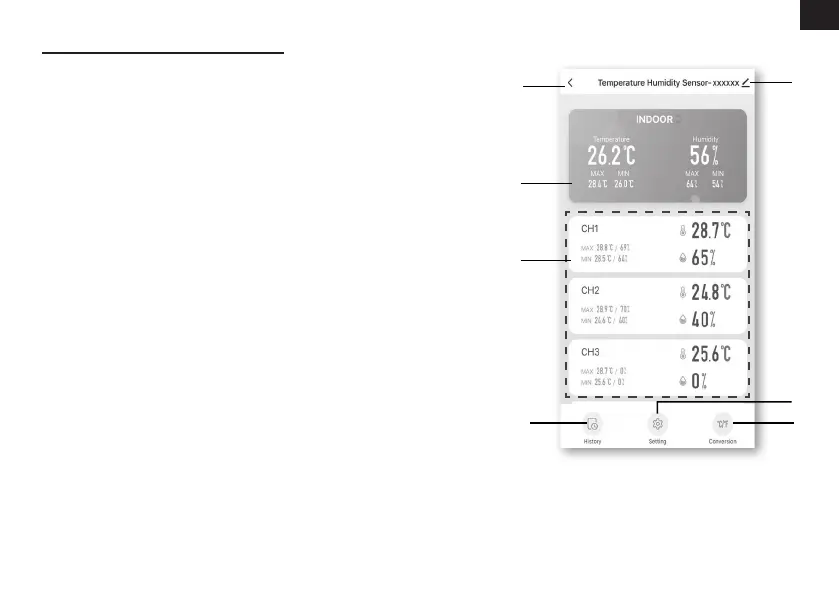
DEVICE SCREEN OVERVIEW
The device screen can show the IN and (CH)
Channel's readings, max / min records, and
access to graphs, alert setting, alert history and
unit conversion.
1. Temperature and humidity reading with
max/min records for INDOOR
2. Temperature and humidity reading with
max/min records for wireless sensor (CH1
- CH7)
3. Back to home page icon
4. Device management for advance feature
and rmware update
5. View the alert history
6. Setting for alert notication
7. Change temperature unit



 To Next Page