24
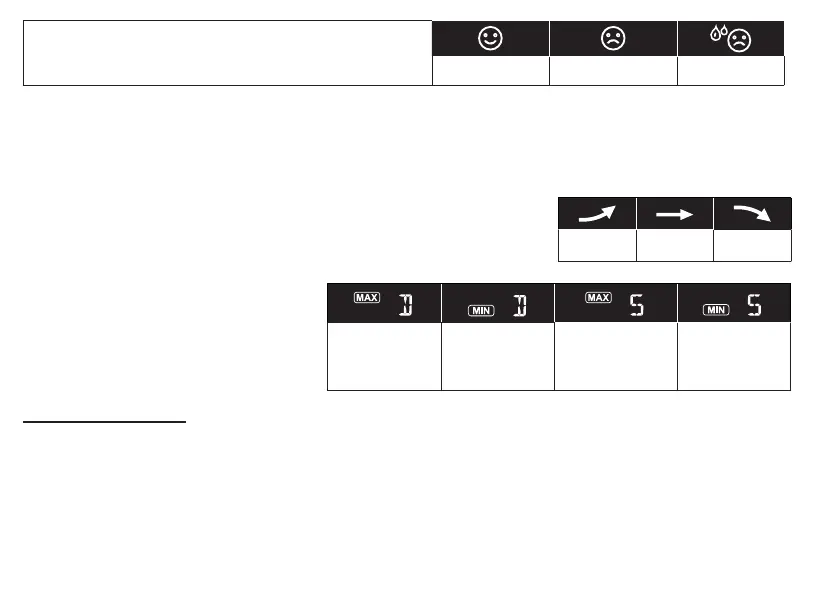
The comfort indication is a pictorial indication based on
indoor air temperature and humidity in an attempt to
determine comfort level.
Too cold Comfortable Too hot
NOTE:
- Comfort indication can vary under the same temperature, depending on the humidity.
- There is no comfort indication when temperature is below 0°C (32°F) or over 60°C (140°F).
TREND INDICATOR
The trend indicator shows the temperature or humidity trends of changes
based on later 15 minutes.
Rising Steady Falling
MAX / MIN DATA RECORD
The console can record MAX / MIN
readings both daily and since last reset.
Daily MAX
reading
Daily MIN
reading
MAX reading
since last
reset
MIN reading
since last
reset
TO VIEW MAX / MIN
1. In normal mode, press [ MAX / MIN ] key on the front side, to check the daily MAX records of
current channel and indoor.
2. Press [ MAX / MIN ] key again to check the daily MIN records of current channel and indoor.
3. Press [ MAX / MIN ] key again to check the accumulative MAX records.
4. Press [ MAX / MIN ] key again to check the accumulative MIN records.
5. Press [ MAX / MIN ] key again and back to normal mode.



 To Next Page