25
EN
2. Press [ + ] or [ - ] key to select IN or any
Channels.
3. Press [ MODE / ALARM ] key to select
between: Temperature Humidity.
4. While temperature or humidity is blinking,
press [ + ] or [ - ] key to adjust the offset
value.
5. When nished, press [ MODE / ALARM
] to proceed with next calibration by
repeating process 2 - 4 above.
6. Press [ / CAL ] key to return to normal
mode.
BACK LIGHT
The main unit back light can be adjusted, using the
[ HI / LO ] sliding switch to select the appropriate
brightness:
- Slide to the [ HI ] position for the brighter
back light.
- Slide to the [ LO ] position for the dimmer
back light.
SET LCD DISPLAY CONTRAST
In normal mode, press [ / CAL ] key to adjust
LCD contrast for best viewing on table stand or wall
mounted.
6. User can also check records of different
sensor by pressing [ CHANNEL ] key.
TO RESET THE MAX/MIN RECORDS
Press and hold [ MAX / MIN ] key for 2 seconds to
reset the current on display MAX or MIN records.
NOTE:
The LCD will also display the " " / "
"icon, when showing the record(s).
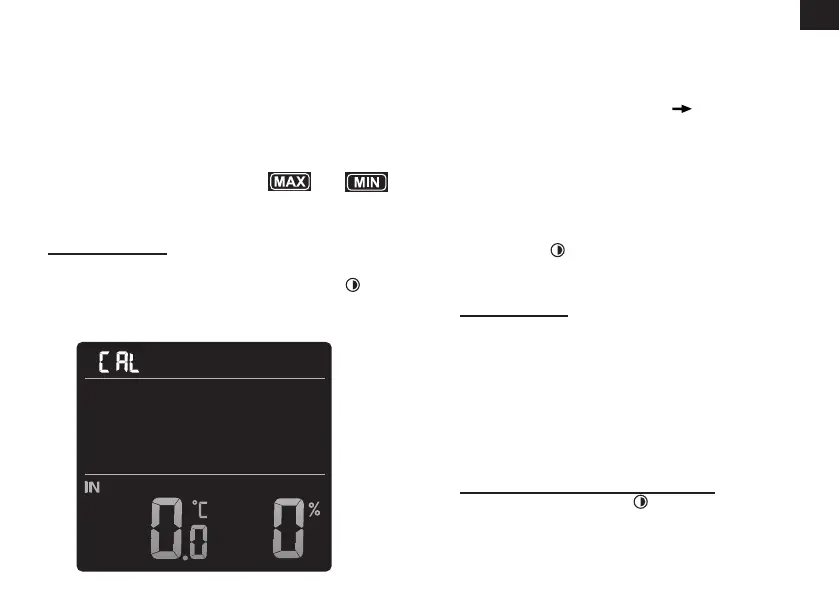
CALIBRATION
To calibrate the temperature and humidity:
1. In normal mode, press and hold [ / CAL ]
key for 2 seconds to enter the calibration
mode as below.



 To Next Page