17
EN
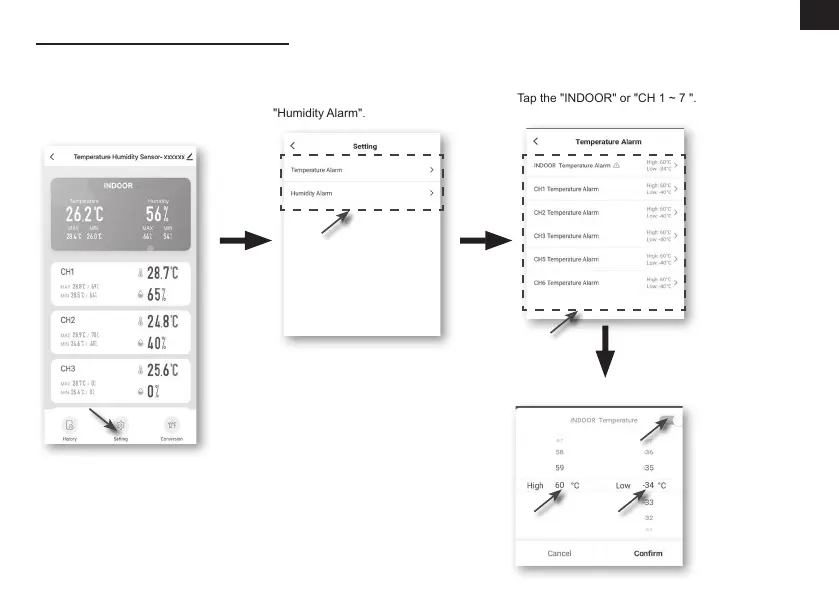
TO SET ALERT NOTIFICATION
You can set the temperature and humidity high / low alarm.
Step 1:
Tap the "Setting" on the bottom
of the "device Screen".
Step 2:
Tap the "Temperature Alarm" or
"Humidity Alarm".
Step 3:
Tap the "INDOOR" or "CH 1 ~ 7 ".
Step 4:
Set the High / Low trigger values and slide the switch to activate the alert.



 To Next Page