382090 382091 V4.0 09/07
19
RS-232 PC Interface
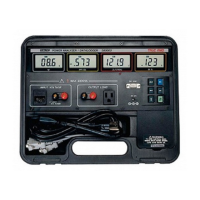
Connect the Optical Interface connector to the 382090 Power Analyzer (middle pin is keyed
for correct orientation). Connect the 9-pin female connector to the 9-pin serial PC port (COM1
or COM2).
PC Requirements
• 486-33 IBM compatible PC or better
• One CD-ROM drive
• Available serial port.
• Windows 95, 98, 2000, NT, ME, XP Operating System
Installing the Windows Application Program
1. Place the supplied software CD in the PC CD-ROM drive
2. Wait for “Autorun” to start and follow the on-screen instructions
3. If “Autorun” does not start, click on “Start” then “Run”. Type the drive letter of the CD-
ROM and :\VB\Disk1\Setup.exe and click OK (To install the LabVIEW version, type the
drive letter and :\LV\installer\Setup.exe and click OK).
4. Change the path if necessary or choose install the program to its default location.
5. Launch the program by double clicking the program file in the location where it was
saved during installation.
6. Remember not to run the supplied software until the meter is properly connected to the
PC as described earlier.
Software Operation
Instructions on using the software are included on the CD-ROM.
Open the file called 382090 Software Manual.pdf
to access the manual.




 To Next Page