EasyManua.ls Logo

Extech Instruments MiniTec Series - User Manual

Extech Instruments MiniTec Series
10 pages
Print Icon
To Next Page IconTo Next Page
Loading...
User’s Manual
MiniTec
TM
Series MultiMeter
Model MN24
www.ponpe.com
contact:
sale@ponpe.com
Question and Answer IconNeed help?

Do you have a question about the Extech Instruments MiniTec Series and is the answer not in the manual?

Summary

Introduction

Safety Information

Explains symbols indicating potential hazards or references to the manual for safety.

Safety Precautions

Lists critical safety rules for operating the multimeter to prevent injury or damage.

Product Description

Meter Components

Identifies and describes the main parts of the multimeter, including display and jacks.

Common Symbols Explained

Defines symbols used on the multimeter and in its manual, such as units and test types.

Operating Instructions

AC;DC Voltage Measurements

Step-by-step guide for measuring AC and DC voltage using the multimeter.

DC Current Measurements

Instructions for safely measuring DC current, including range selection and precautions.

Resistance Measurements

Procedures for performing resistance measurements with the multimeter.

Continuity Measurements

How to conduct continuity tests and interpret the results, including audible feedback.

Diode Measurements

Battery Test

Maintenance and Care

General Care Instructions

Advises on keeping the meter dry, clean, and handling it gently for longevity.

Battery Replacement

Fuse Replacement

Specifications

Measurement Ranges and Accuracy

Table detailing function ranges, resolutions, and accuracy specifications.

Input Limits

Specifies the maximum voltage and current inputs allowed for each function.

Detailed Technical Specifications

Operational Characteristics

Covers diode test, continuity, impedance, bandwidth, display, and battery indicators.

Environmental and Physical Specifications

Details operating/storage conditions, humidity, altitude, weight, size, and certifications.

Warranty Information

Customer Support and Services

Overview

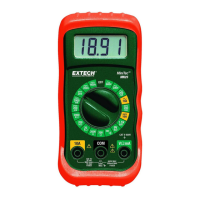
The Extech MiniTec™ Series MultiMeter, Model MN24, is a professional-grade multimeter designed to measure AC/DC Voltage, DC Current, Resistance, Battery Voltage, Diode Voltage, and Continuity. This device is shipped fully tested and calibrated, ensuring reliable service with proper care.

Function Description

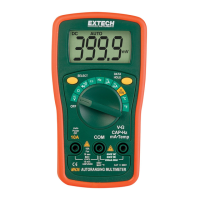
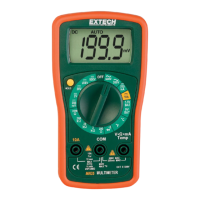
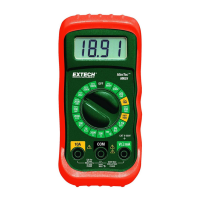
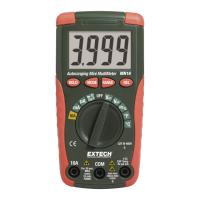
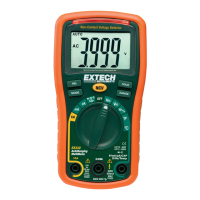
The MN24 multimeter features an LCD display for clear readings. Its primary functions are selected via a rotary switch. The device includes dedicated jacks for COM (common), 10A current measurements, and a positive jack for voltage, resistance, and milliampere measurements.

Voltage Measurements (AC or DC): To measure AC or DC voltage, the black test lead banana plug is inserted into the negative COM jack, and the red test lead banana plug into the positive V jack. The rotary switch is then set to the desired VDC or VAC range. The test probes are touched to the circuit under test, and the voltage reading appears on the display.

DC Current Measurements: For DC current measurements, the black test lead banana plug goes into the negative COM jack. The red test lead banana plug is inserted into either the positive mA jack for currents up to 200mA or the positive 10A jack for currents up to 10A. The rotary switch is set to the appropriate ADC range. The test probes are connected in series with the circuit under test to read the current. A caution is noted for 10A scale measurements: they should not exceed 30 seconds to prevent damage to the meter or test leads, with a 15-minute cool-down period recommended after high current measurements.

Resistance Measurements: To measure resistance, the black test lead banana plug is inserted into the negative COM jack, and the red test lead banana plug into the positive Ω jack. The rotary switch is set to the desired Ω range. The test probes are touched to the circuit or device under test, and the resistance is displayed.

Continuity Measurements: For continuity checks, the test leads are connected as for resistance measurements (black to COM, red to Ω). The rotary switch is set to the continuity position (•))). When the test probes touch a circuit or device, a buzzer will sound if the resistance is less than approximately 30Ω, and the resistance value will be displayed.

Diode Measurements: Diode measurements involve inserting the black test lead banana plug into the negative COM jack and the red test lead banana plug into the positive diode jack. The rotary switch is set to the diode/continuity position. When the test probes touch the diode under test, a forward voltage of 400 to 700mV will be indicated. A reverse voltage will show "I". Shorted devices will indicate near 0mV, while an open device will show "I" in both polarities.

Battery Test: To test batteries, the black test lead banana plug is inserted into the negative COM jack, and the red test lead banana plug into the positive V jack. The function select switch is set to either the 1.5V or 9V BAT position. The red test lead is connected to the positive side of the battery, and the black test lead to the negative side. The voltage reading is then displayed.

Important Technical Specifications

DC Voltage (V DC):

  • Ranges: 200mV, 2000mV, 20V, 200V, 600V
  • Resolutions: 0.1mV, 1mV, 0.01V, 0.1V, 1V
  • Accuracy: ± (0.5% reading + 2 digits) for all ranges.
  • Maximum Input: 600VDC/VAC

AC Voltage (V AC):

  • Ranges: 200V, 600V
  • Resolutions: 0.1V, 1V
  • Accuracy: ± (1.2% reading + 10 digits (50/60Hz)) for both ranges.
  • Maximum Input: 600VDC/VAC
  • ACV Bandwidth: 45Hz to 450Hz

DC Current (A DC):

  • Ranges: 2000μA, 20mA, 200mA, 10A
  • Resolutions: 1μA, 10μA, 100μA, 10mA
  • Accuracy: ± (1.0% reading + 2 digits) for 2000μA, 20mA; ± (1.2% reading + 2 digits) for 200mA; ± (2.0% reading + 2 digits) for 10A.
  • Fuses: 200mA, 250V fast acting fuse for mA/μA ranges; 10A, 250V fast acting fuse for 10A range.

Resistance (Ω):

  • Ranges: 200Ω, 2000Ω, 20KΩ, 200KΩ, 2000KΩ
  • Resolutions: 0.1Ω, 1Ω, 0.01KΩ, 0.1KΩ, 1KΩ
  • Accuracy: ± (0.8% reading + 2 digits) for 200Ω, 2000Ω, 20KΩ, 200KΩ; ± (1.0% reading + 2 digits) for 2000KΩ.
  • Maximum Input: 220Vrms for 15sec max

Battery Test:

  • Ranges: 9V, 1.5V
  • Resolution: 10mV for both ranges.
  • Accuracy: ± (1.0% reading + 2 digits) for both ranges.
  • 9V Battery Conditions: Good (> 8.2V), Weak (7.2 to 8.2V), Bad (< 7.2V)
  • 1.5V Battery Conditions: Good (> 1.35V), Weak (1.22 to 1.35V), Bad (< 1.22V)
  • Battery Test Current: 9V (6mA); 1.5V (100mA)

Diode Test:

  • Test Current: 1mA maximum
  • Open Circuit Voltage: 2.8V DC typical

Continuity Check:

  • Audible signal sounds if resistance is less than approximately 30Ω.

General Specifications:

  • Display: 3 ½ digit, 2000 count LCD, 0.5" digits.
  • Over Range Indication: "1" is displayed.
  • Polarity: Automatic (no indication for positive polarity); Minus (-) sign for negative polarity.
  • Measurement Rate: 2 times per second, nominal.
  • Low Battery Indication: "BAT" is displayed if battery voltage drops below operating voltage.
  • Battery: One 9 volt (NEDA 1604) battery.
  • Input Impedance: >1MΩ.
  • DCA Voltage Drop: 200mV.
  • Operating Temperature: 32°F to 122°F (0°C to 50°C).
  • Storage Temperature: -4°F to 140°F (-20°C to 60°C).
  • Relative Humidity: <70% operating, <80% storage.
  • Operating Altitude: 7000ft. (2000) meters maximum.
  • Weight: 9.17 oz. (260g).
  • Size: 4.78" x 2.38" x 1.57” (121.5mm x 60.6mm x 40mm).
  • Approvals: UL, CE.
  • Safety: For indoor use and in accordance with Overvoltage Category II 600V, Pollution Degree 2. Category II includes local level, appliance, portable equipment, etc., with transient overvoltages less than Overvoltage Category III.
  • Accuracy Note: Stated at 65°F to 83°F (18°C to 28°C) and less than 75% RH.

Usage Features

  • International Safety Symbols: The manual highlights international safety symbols, indicating the need to refer to the manual for further information or the presence of hazardous voltages.
  • Safety Precautions: Emphasizes proper usage, ensuring covers are closed, removing test leads before battery/fuse replacement, inspecting for damage, not exceeding input limits, exercising care with high voltages (above 25VAC rms or 35VDC), discharging capacitors before certain tests, and removing batteries for long-term storage.
  • Ergonomic Design: The tilt stand, fuse, and battery compartment are conveniently located on the rear of the unit.
  • Clear Symbolism: The manual provides a comprehensive list of symbols used on the device and in the documentation, such as •))) for continuity, μ for micro (amps), m for milli (volts, amps), k for kilo (ohms), Ω for ohms, VDC for volts direct current, VAC for volts alternating current, ADC for amps direct current, and BAT for low battery.

Maintenance Features

  • General Care:
    • Keep the meter dry.
    • Use and store in mild ambient conditions to prevent damage to electronic and plastic parts.
    • Handle gently to avoid damage from dropping.
    • Keep clean by wiping the case with a damp cloth; avoid chemicals, cleaning solvents, or detergents.
  • Battery Replacement:
    • Warning: Disconnect test leads from any voltage source before removing the rear cover to avoid electrical shock.
    • Remove the rubber holster (if applicable).
    • Open the battery door by removing the screw with a Phillips head screwdriver.
    • Insert a new 9V battery (NEDA 1604), ensuring correct polarity.
    • Replace the battery door and secure the screw.
    • Remove old or weak batteries to prevent leakage and damage.
    • Remove batteries if storing the meter for long periods.
  • Fuse Replacement:
    • Warning: Disconnect test leads from any circuit being measured before removing the rear cover to avoid electric shock.
    • Remove the rubber holster (if applicable).
    • Open the fuse cover by removing the screw with a Phillips head screwdriver.
    • Remove the old fuse and gently push the new fuse into the holder.
    • Always use a fuse of the proper size and value: 0.2A/250V fast blow for mA/μA ranges, or 10A/250V fast blow for the 10A range.
    • Replace the fuse cover and secure the screw.
    • Warning: Do not operate the meter until the rear cover is in place and fastened securely.

The MN24 Multimeter is designed for dependable service, emphasizing safety and ease of maintenance for its users.

Extech Instruments MiniTec Series Specifications

General IconGeneral
CategoryMultimeter
ModelMiniTec Series
DC Voltage (Max)600V
AC Voltage (Max)600V
DC Current (Max)10A
AC Current (Max)10A
ContinuityYes
Diode TestYes
DisplayLCD
Battery Type9V
Auto Power OffYes
Low Battery IndicatorYes
Safety RatingCAT III 600V

Related product manuals