EasyManua.ls Logo

Extech Instruments RHT10 - User Manual

Extech Instruments RHT10
15 pages
Print Icon
To Next Page IconTo Next Page
Loading...
USERGUIDE
Humidity/TemperatureDatalogger
ModelRHT10
www.GlobalTestSupply.com
Find Quality Products Online at: sales@GlobalTestSupply.com
Question and Answer IconNeed help?

Do you have a question about the Extech Instruments RHT10 and is the answer not in the manual?

Summary

Introduction and Features

Introduction

Overview of the Relative Humidity and Temperature Datalogger, its capabilities, and benefits.

Key Features Overview

Highlights the datalogger's memory, software integration, sampling rates, and battery life.

Device Description

Component Identification

Details and identifies the physical components of the RHT10 datalogger.

Operation

System and Hardware Requirements

Specifies the necessary operating system and hardware for the datalogger software.

Software and Driver Installation

Guides users through installing the graphing software and the required USB driver.

Running the Graphing Software

Menu Bar and Logger Setup

Menu Bar Navigation

Explains the functions of the icons and pull-down menus in the graphing software.

Logger Setup Configuration

Details how to configure logging rate, alarms, and other settings for the datalogger.

Data Download Procedure

File Management

File Open and Save As Options

Describes how to open existing files and save data in various formats.

Printing Data Graphs

Instructions on how to print data graphs from the software.

Grains Per Pound (GPP) Functionality

RHT10 LED Status Guide

Technical Specifications

Battery Replacement Process

Warranty and Support

Warranty Information

Details the manufacturer's warranty terms and conditions for the device.

Calibration, Repair, and Support Services

Information on calibration, repair services, technical support, and customer care.

Overview

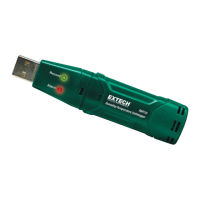
The Extech RHT10 is a Humidity/Temperature Datalogger designed for environmental monitoring and data collection. This compact device measures and stores both relative humidity and temperature readings, making it suitable for a wide range of applications where continuous environmental data logging is required.

Function Description:

The primary function of the RHT10 is to measure and record relative humidity and temperature over time. It can store up to 16,000 relative humidity readings and 16,000 temperature readings, providing a substantial data capacity for extended monitoring periods. The datalogger also offers dew point indication, which can be viewed through the supplied Windows™ software. For users requiring additional data analysis, an optional RHT10-SW software allows for the viewing of GPP (grains per pound) data.

The device is equipped with a USB interface, allowing for easy connection to a PC. Through the supplied software, users can configure various logging parameters, including the sampling rate, high/low alarm thresholds for both humidity and temperature, and the start mode for data logging. Once configured, the RHT10 can operate independently, collecting data at the programmed intervals. The collected data can then be downloaded to a PC for graphing, printing, and export to other applications for further analysis.

Usage Features:

The RHT10 is designed for straightforward operation. Before use, the device needs to be connected to a PC via its USB port, and the supplied Windows™ software and USB driver must be installed. The software provides a user-friendly interface for setting up the datalogger.

Configuration:

  • Sampling Rate: Users can select from a wide range of sampling rates, from 2 seconds up to 24 hours, to suit specific monitoring needs.
  • Alarm Thresholds: Programmable high and low alarm thresholds for relative humidity and temperature can be set. When these limits are exceeded, the device's LEDs will flash, providing a visual alert.
  • Start Mode: The datalogger can be configured to start logging data either immediately upon exiting the setup window (Instant mode) or manually by pressing and holding the start button for approximately 3 seconds (Manual mode).
  • Logger Name: A unique name can be assigned to the RHT10 for easy identification, especially when managing multiple devices.
  • Sample Points: Users can specify a fixed number of readings the RHT10 should take before stopping.

Data Logging and Indication:

  • LED Status Indicators: The RHT10 features a green LED for recording status and a red/yellow LED for alarm status. These LEDs provide clear visual feedback on the device's operational state, including whether it is logging, if alarms are triggered, or if the battery is low. The LED flash cycle can be adjusted to conserve battery life.
  • Data Download: After data collection, the RHT10 is reconnected to the PC, and the software is used to download the stored readings. The software presents the data in a graphical format, showing trends over time for temperature, relative humidity, and dew point. Alarm limits are also displayed on the graph.
  • Data Visualization and Export: The graphing software allows users to zoom in on specific data regions, customize the graph's appearance (e.g., show/hide traces, change background color, add/remove grid lines), and view actual data points. Data can be saved in various formats, including proprietary .rec files, text files (.txt), Excel files (.xls), and bitmap files (.bmp), facilitating integration with other analysis tools.
  • Printing: The data graph window can be printed to a line or network printer, supporting color printing for accurate representation of different data traces.

Maintenance Features:

The RHT10 is designed for long-term use with minimal maintenance, primarily focusing on battery management.

  • Battery Life: The device is powered by a long-life lithium battery, typically providing up to one year of logging operation, depending on the logging rate, ambient temperature, and the use of alarm LEDs.
  • Battery Replacement: It is highly recommended to replace the battery every 12 months or before logging critical data. The RHT10 uses a 3.6V lithium (1/2 AA) battery. The battery replacement process involves removing the datalogger from the PC and following a simple four-step diagrammatic procedure.
  • Data Retention: Importantly, the RHT10 does not lose its stored readings when the battery weakens or is replaced. However, the data logging process will stop and cannot be restarted until a fresh battery is installed and any logged data has been downloaded to the PC.
  • Battery Conservation: To conserve battery life, it is advised not to leave the RHT10 connected to the USB port for prolonged periods, as this can discharge the battery at a higher rate. Additionally, if the meter will not be used for 60 days or more, the battery should be removed and stored separately.
  • Battery Disposal: Users are reminded to handle lithium batteries carefully, observe warnings on the battery casing, and dispose of them responsibly, never in a fire, as batteries may explode or leak.
  • Calibration: FLIR Systems, Inc. offers repair and NIST traceable calibration services for Extech Instruments products. Annual calibrations are recommended to verify meter performance and accuracy, ensuring continued reliability of the RHT10.

Extech Instruments RHT10 Specifications

General IconGeneral
Humidity Range0 to 100% RH
Humidity Resolution0.1% RH
DisplayLCD
Dimensions4.7x1.6x0.9" (120x40x24mm)
DataloggingYes
PC InterfaceUSB
Temperature Range-4 to 140°F (-20 to 60°C)
Temperature Accuracy±1 °C
Temperature Resolution0.1 °C
Power Supply9V battery
Sampling Rate1 second
Weight200 g

Related product manuals