EN2
CFI EXTEL CONNECT - V1
1.
SAFETY INSTRUCTIONS
Important!
• Please carefully read the user manual before installing or using this product.
• If you are installing this product for someone else, remember to leave the manual or a copy of it with the end user.
Warning:
• The various items should only be disassembled by an authorised technician.
Safety measures:
• To operate this system in complete safety, it is essential that the installers, users, and technicians follow all of the
safety procedures described in this manual.
•Specicwarningsandwarningsymbolsaregivenforitemsifnecessary.
• The product must be set up according to the applicable standards in the country where it is installed (NF15-100
for France).
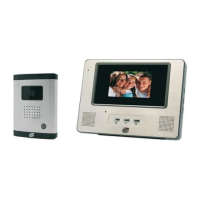
2. DESCRIPTION (g.1)
1 • Monitor 2 • Wall bracket 3 • Adapter plug 4 • Intercom panel 5 • Weather-proof shield
General
This videophone is composed of an interior response station with a screen and an exterior panel with an intercom
and camera, allowing the person inside to see and communicate with a visitor outside who rings the doorbell. The
system is easy to install, with only two wires needed for all functions: the doorbell, the video feed, the intercom, and
the strike plate and automated opening controls. For effective usage, please carefully read this instruction manual.
3. COMPONENT NAMES
a. Monitor (g.2)
1. 7” (18 cm) colour screen.
2. ON/OFF button.
3. Loudspeaker.
4.
Screen off: Viewing the camera from the intercom panel (surveillance mode).
Screen on: Navigation key (left or bottom arrow).
5.
Call in progress: Gate opening (dry contact). In the menus: Navigation key (right or top arrow).
6.
Screen off AND icon blinking: Access to images recorded during your absence.
ScreenoffANDiconoff:Accesstomenu.Inthemenus:Conrmationkey(OK).
7.
Call in progress: Answer the call. In surveillance mode: activate sound.
8.
Callinprogress:Openelectricstrikeplate.Inthemenus:Keytoreturntopreviousstep.
9. Microphone.
10. Navigation/selection mechanical wheel.
11. Terminals to connect the two 24V adapter plug wires (adapter to be connected to equipment installed in
compliance with the applicable standards: NFC 15-100 for France).
Warning you must comply with the polarity (red terminal:24V and black ground terminal (GND))
12. 2D bar code to scan and monitor’s unique ID (used to connect a doorkeeper that is already connected to
another smartphone).
13. Terminal for connecting the intercom panel.
14. NC (do not connect).
15. Power indicator
b. Intercom panel (g.3)
1. IR LED for better visibility in the dark (light not visible to the naked eye).
2. Adjustable C-MOS camera lens (at the back of the camera).
3. Speaker: allows the person inside to be heard outside.
4. Call button: when a person presses this button, the doorbell rings inside. The screen and the camera turn on.



 To Next Page