EN13
CFI EXTEL CONNECT - V1
10. TECHNICAL SUPPORT - WARRANTY
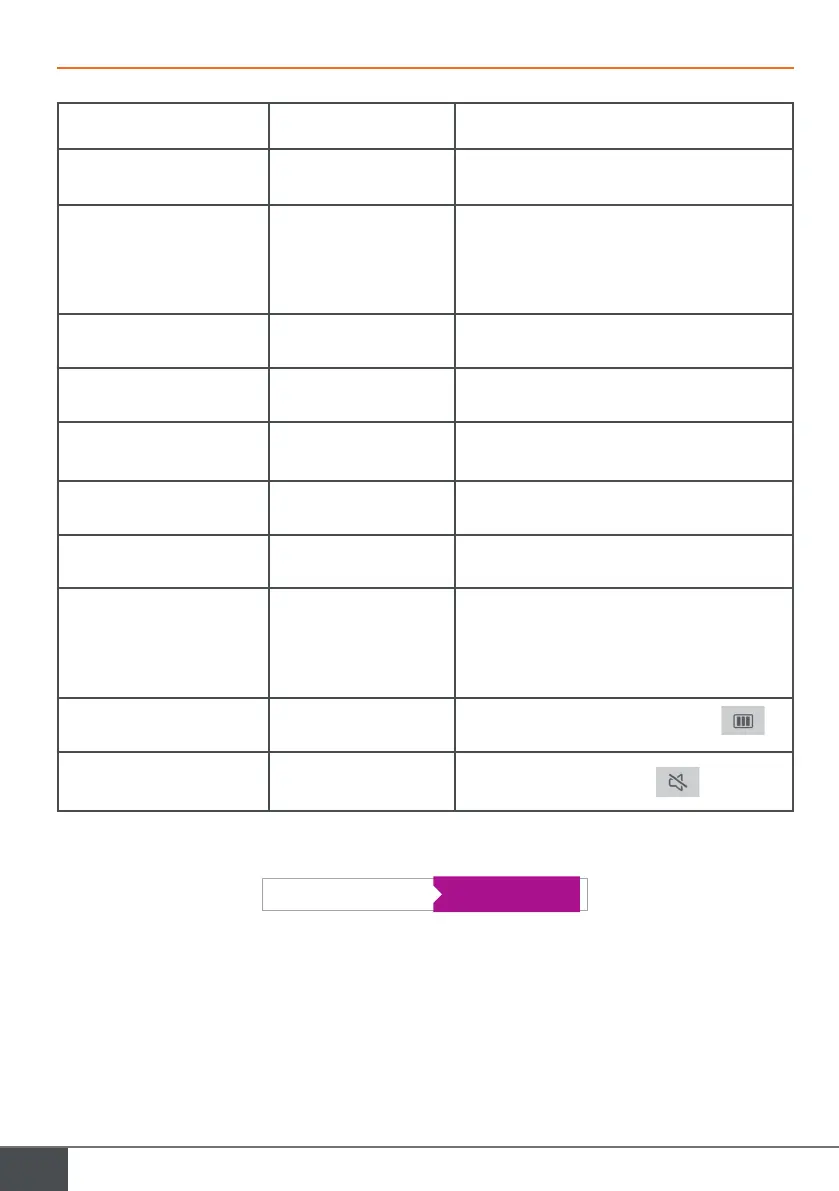
Problem Cause Solution
• The monitor will not turn on • The monitor is not receiv-
ing power
• Check the power connection
• Check the position of the on/off button
• Poor image and/or sound • Environment
• Installation or disturbance
• Check that the wires used have the right gauge and
that the connection wires for the videophone are not
in the same sheath as the 230 V wires.
• We recommend that you check your product is work-
ing properly with a short distance test (wire 2m min. /
5m max.)
• Image too bright • Position of the camera • Do not directly expose the camera lens to the sun or
a reflective surface.
• No sound coming from the
intercom panel
• Insects • Check that the intercom panel microphone hole is
not obstructed.
• Monitor switched off (Indicator
LED switched off)
• Incorrect connection
or short-circuit on the line
• Resolve the connection problem, switch off the power
for 10s then reconnect
• Check the position of the on/off button
• The monitor does not pair with
the ADSL Box
• Check that the box is on 2.4GHz Wifi
and not 5GHz
• I receive a notification, but the
telephone does not ring
• In the application settings, activate ‘sound’
• No call notification • In the application settings, check that ‘alarm’ mode is
activated.
• In the telephone’s settings, check that energy saving
mode is deactivated for the Extel Connect application.
• On iOS, check that notifications are active for the
Extel Connect application.
• Blue screen on the smartphone
• Check that the video stream is not at zero
• I can't hear the visitor
on the application
• Check that the sound is not off
If needed, consult our technical website: www.extelmarket.com
Service 0,35 € / min
Latest version of the downloadable instructions in colour: www.extelmarket.com



 To Next Page