EN9
CFI EXTEL CONNECT - V1
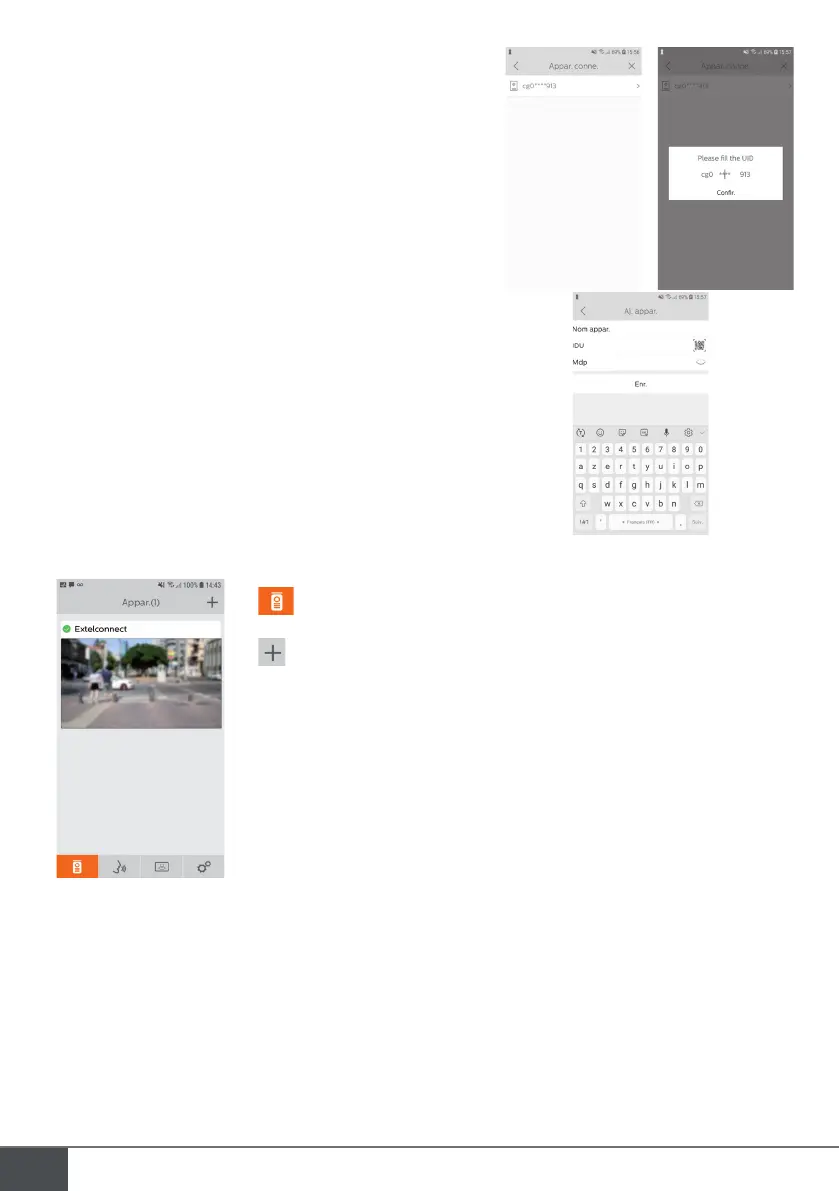
1. Device connected: Before choosing this option, ensure that your
doorkeeper and telephone are connected to the same Wifi
network. The application will ask you to enter the monitor UID.
To obtain this information, go to the ‘hotspot’ menu (Chap 7.a.)
and copy the UID that starts with ‘cg0…’. You must then ask the
main user for the 6-digit password they have selected.
2. Manually: Choose this option to scan the QR Code on the back
of the monitor, then you must ask the main user for the 6-digit
password they have selected.
e. Interface function
Groups the different devices and enables you to move to monitoring mode.
Enables you to add a device
Click the image to enter monitoring mode.



 To Next Page