EN10
CFI EXTEL CONNECT - V1
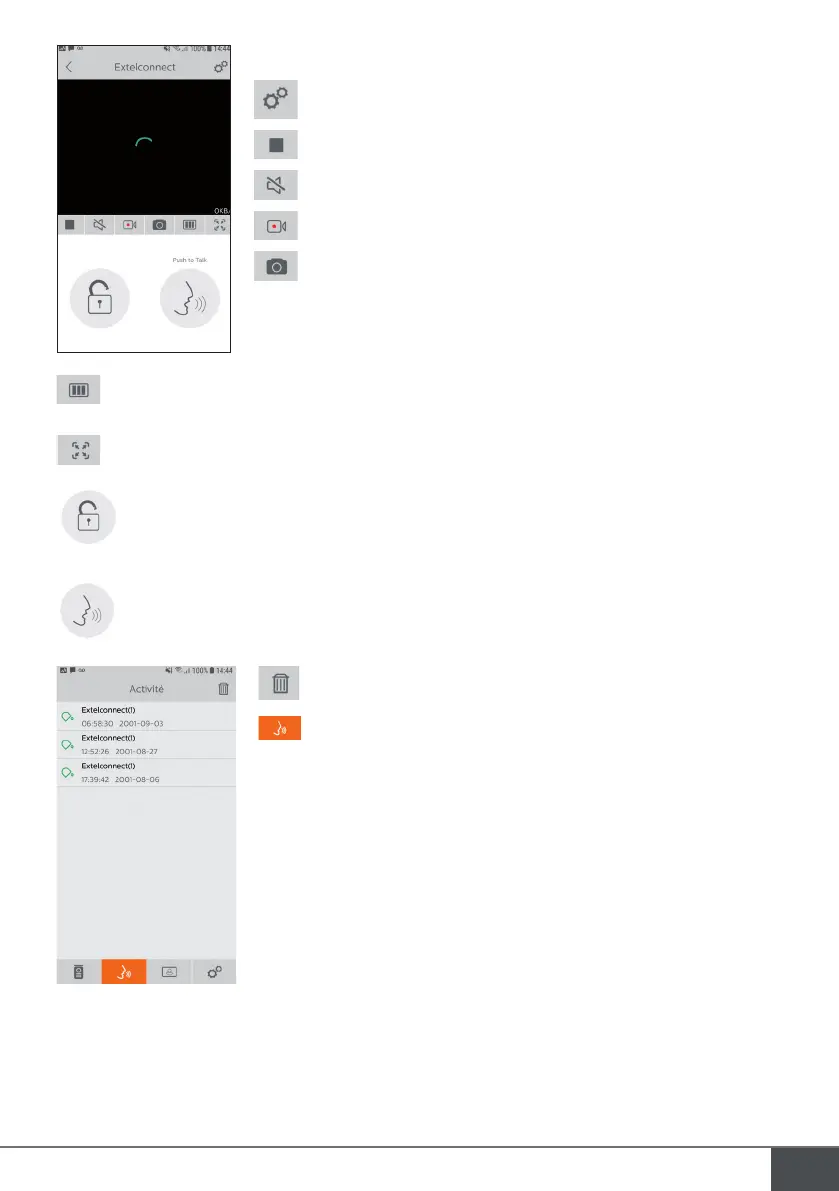
Enables you to manage the camera settings: name, password, WIFI network,
Channel number and alarm.
Start/stop live video feed.
Activate/deactivate the sound.
Take a video.
Take a photo.
Enables you reduce the video quality (1 bar) or only allow sound through (0 bar) if bandwidth is low. For
optimal operation, you need a minimum speed of 40 kB/s.
Full-screen mode
Open the electric strike plate or the gate (each opening requires entering the password).
Hold pressed to speak to the visitor.
Enables you to delete recordings
Groups recordings



 To Next Page