CFI EXTEL O’PLUS - 10/2015 - V1
GB3
5 -
/
+
/
/
-
/
+
/
-
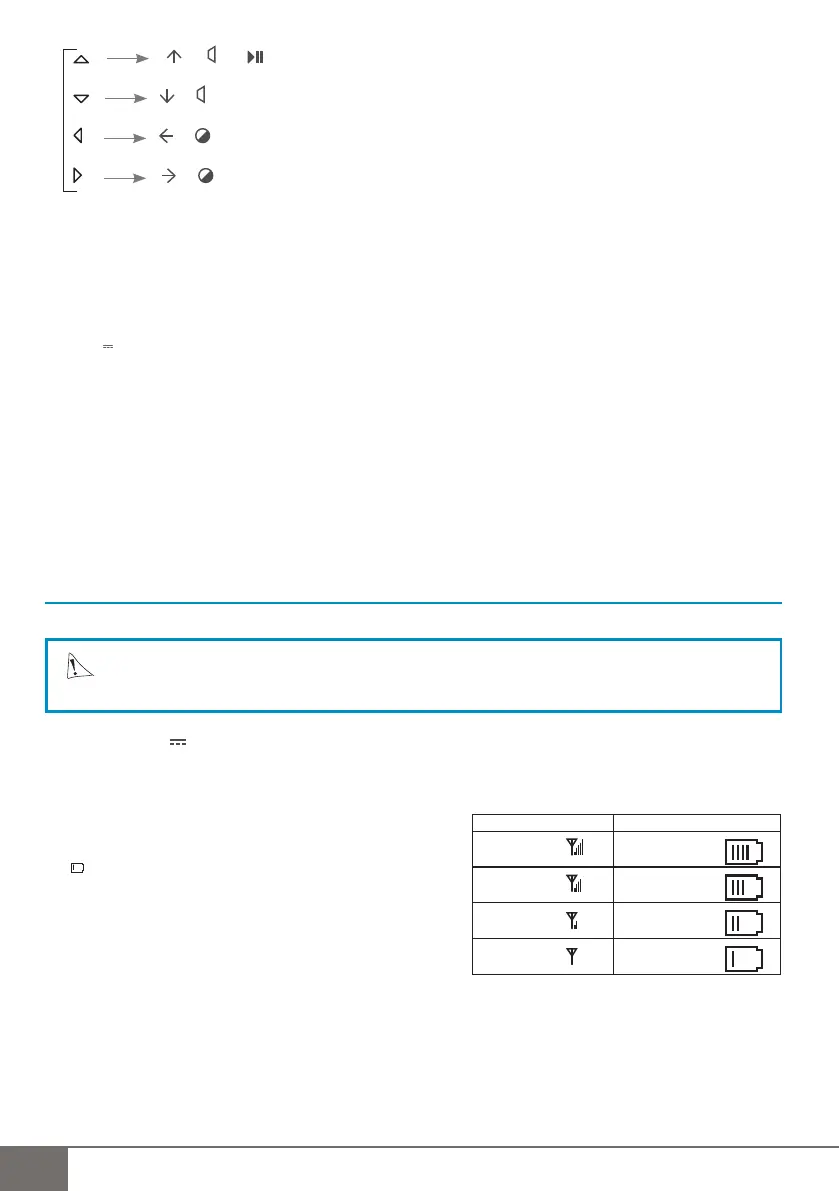
> Used to scroll through the menu, to set the volume and brightness and to switch from play mode to pause
mode
6 - OK
7 - Light indicator: OFF/charging (red)/ON(green)
8 - On/Off
9 - Housing for the Micro SD card
10 - Video/Audio output
11 - 12 V Power supply
Description of the symbols (Fig. F)
1 - Selected camera N° (Cam) 7 - Card (Micro SD) inserted
2 - Recording in progress 8 - Movement detection activated
3 - Signal level 9 - Video format
4 - Selected display mode (Screen) 10 - Continuous recording (when the card is full the 1
st
5 - Sound level recorded fi les are overwritten)
6 - Battery charge level 11 - Date and time
4. INSTALLATION
a. Charging the battery
WARNING
When connecting the monitor for the fi rst time, the battery must be recharged for 8 hours.
1 Connect the 12V adapter cable to the "power supply" socket on the monitor (fi g C - n°2)
2 Plug the adapter into a power outlet and leave it plugged in for about 8 hours to charge the battery.
(the indicator lights red and then switches to green when the battery is charged) (fi g B - n°7).
3.Use without the adapter: 3 hours autonomy using a lithium battery
• Battery charge status display
When the battery is almost fl at,
the symbol displays on the monitor screen.
If the monitor is not recharged it switches off automatically
until it is connected back to a mains power outlet.
b. Installing the monitor (fi g.C)
Select a location away from reinforced concrete walls, mirrors, metal shelves, etc. Place the monitor at a distance
from any devices that create strong electric interference. Any strong electric environment can cause interference
and disrupt use (especially WIFI).
1. Insert a Micro SD card into the card reader (fi g C - n°1) (1Gb minimum - 32Gb maximum)
2. Unfold the stand behind the monitor and place it on a fl at surface
3. Connect to the mains power supply (fi g C - n°2)(or use the monitor powered by the battery once it has been
recharged)
4. Unfold the antenna (fi g B - 12)
Signal status Battery charge status
Perfect signal Battery fully charged
3h
autonomy
Signal correct Battery
suffi cient
Weak signal Battery
low
No signal Battery
fl at



 To Next Page