CFI EXTEL O’PLUS - 10/2015 - V1
GB8
8. MAINTENANCE
The warranty is void if parts are dismantled. Clean the outside with a soft, dry cloth only. Before cleaning, disconnect
or switch off the video surveillance system.
WARNING
Do not use any carboxylic acid, alcohol-based or other similar product or solvent. In addition to the risk of
damage to your device, fumes are also dangerous to health and are explosive.
Do not use any tool which may conduct electricity (metal brush, pointed tool or other) to clean the equipment.
9. TROUBLESHOOTING
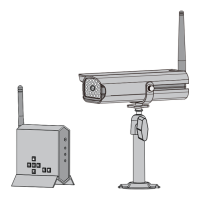
You have purchased a ready-to-use video surveillance system using the latest technology. All the parts required to
get full use of your kit are provided.
However, if you encounter problems or malfunctions, you can remedy them by reading the table below:
Fault Cause Solution
The monitor does
not turn on
• Power supply problem
• No more battery
• Check the adapter is connected
• Connect the monitor to the mains power supply
No image. • The camera is not powered on
• The monitor is not receiving
the signal
• The camera is not paired
• Check the adapter is connected
• Move the camera closer and fi nd a more suitable
position
• Carry out pairing
No sound • Settings • check that the volume is not set to the lowest
position
If required, our technical site is at your disposal: www.cfi -extel.com
The latest version of the instructions in colour is downloadable from: www.cfi -extel.com
WARRANTY TERMS
This appliance has a parts and labour warranty in our workshops.
The warranty does not cover: consumables (batteries, etc.) and damage caused by: incorrect use, incorrect instal-
lation, third party intervention, deterioration through physical impact or electric shock, dropping, or atmospheric
phenomena.
• Do not open the appliance as this will void the warranty.
• When returning the appliance for eventual servicing, protect the screen to avoid scratches.
• Clean using a soft cloth only, do not use solvents. The guarantee is void if parts have been dismantled. Clean the
outside with a soft dry cloth only. Before cleaning, disconnect or power off the appliance.
The shop receipt or invoice is the proof of the purchase date.



 To Next Page