33
The information contained within this document is confidential and cannot be reproduced
without the approval of Extollo Communications.
Powerline Link Rates
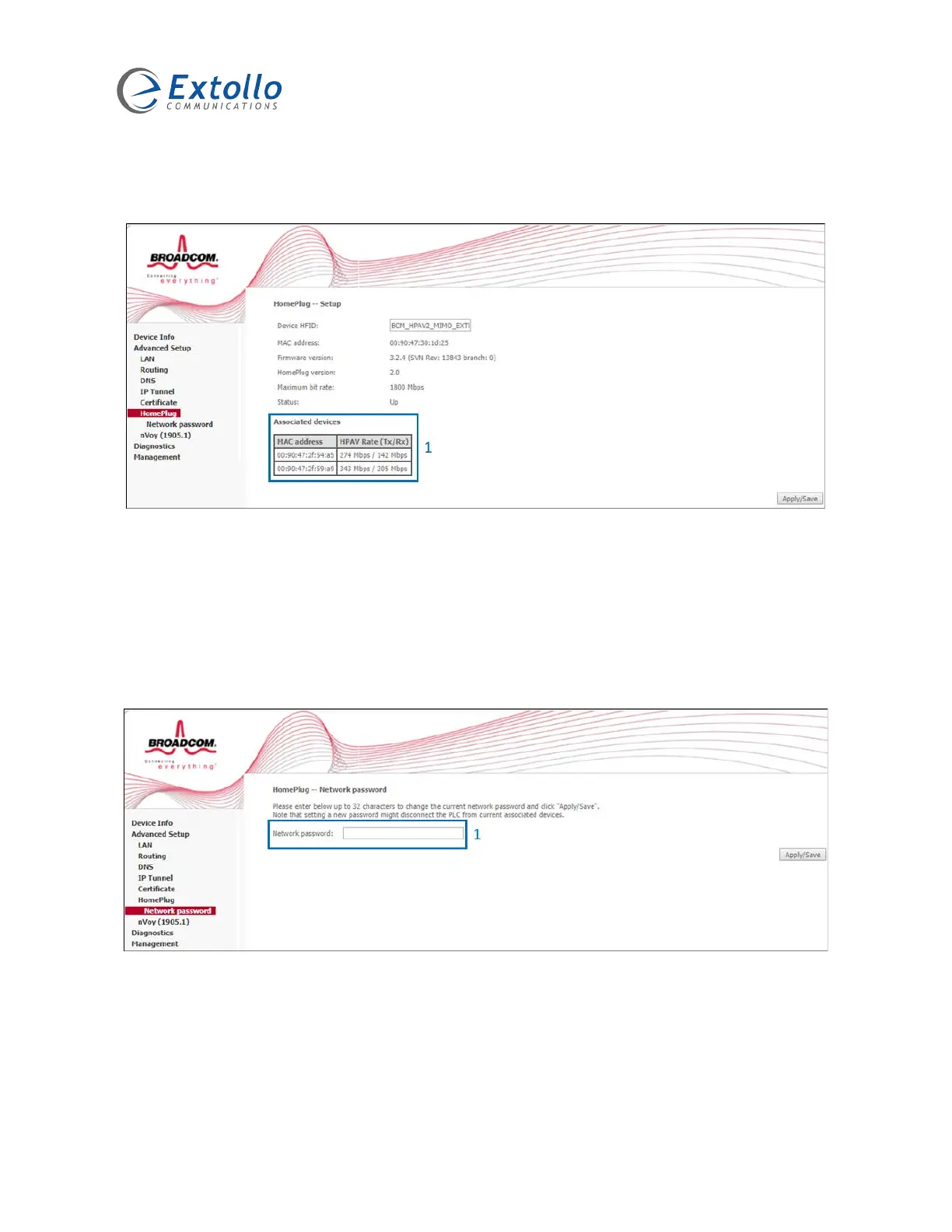
Select “Advance Setup” then “HomePlug”.
1. The “Associated devices” field provides Transmit and Receive Powerline link rates
between the LANSocket 1500 that you are logged into and other LANSocket 1500’s on
the Powerline network in Mbps.
Creating a Private Powerline Network
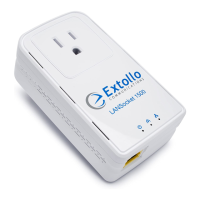
Select “Advance Setup” then “HomePlug” then “Network password”. Note: The network
password is the Network Membership Key.
1. Changing the “Network password” value from the default “HomePlugAV” creates a
private Powerline network. Login to each LANSocket 1500 and change the “Network
password”. The “Network password” must be the same on all LANSocket 1500’s
within the Powerline network so that they can communicate with each other and create a
Powerline network.


 To Next Page