34
The information contained within this document is confidential and cannot be reproduced
without the approval of Extollo Communications.
Software Upgrade
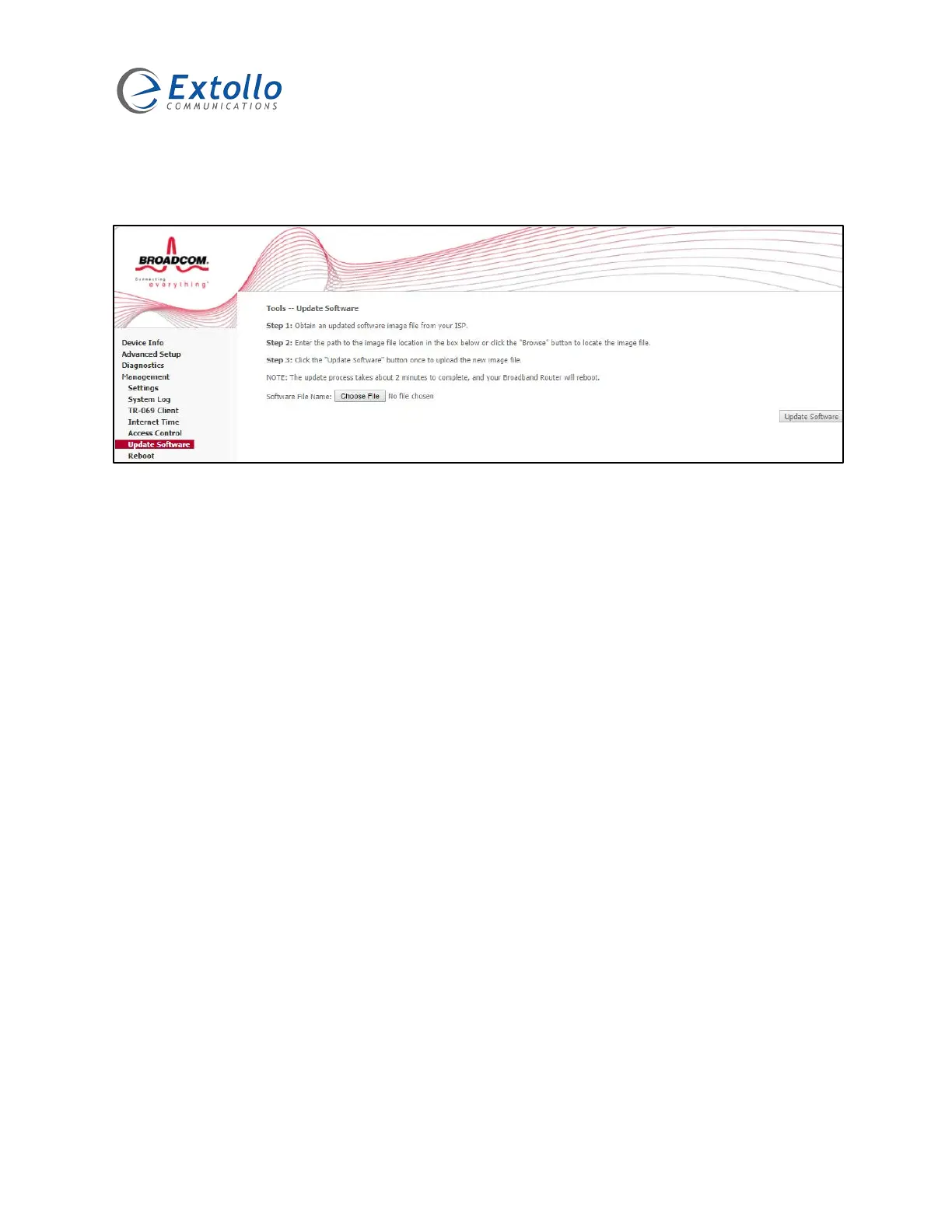
Select “Management” then “Update Software” to start the software upgrade process.
1. Download the latest LANSocket 1500 software version from Extollo’s Support web page.
2. Save the LANSocket 1500 software to a directory on the PC that will be used to upgrade
the LANSocket 1500.
3. Select the “Choose File” button.
4. Navigate to the directory where the LANSocket 1500 software is located.
5. Select the software that is to be loaded onto the LANSocket 1500 adapter.
6. The file name of the software will appear beside the “Choose File” button.
7. Start the upgrade process by selecting the “Update Software” button.
NOTE: You must login to each LANSocket 1500 and follow the Software Upgrade procedure.


 To Next Page