35
The information contained within this document is confidential and cannot be reproduced
without the approval of Extollo Communications.
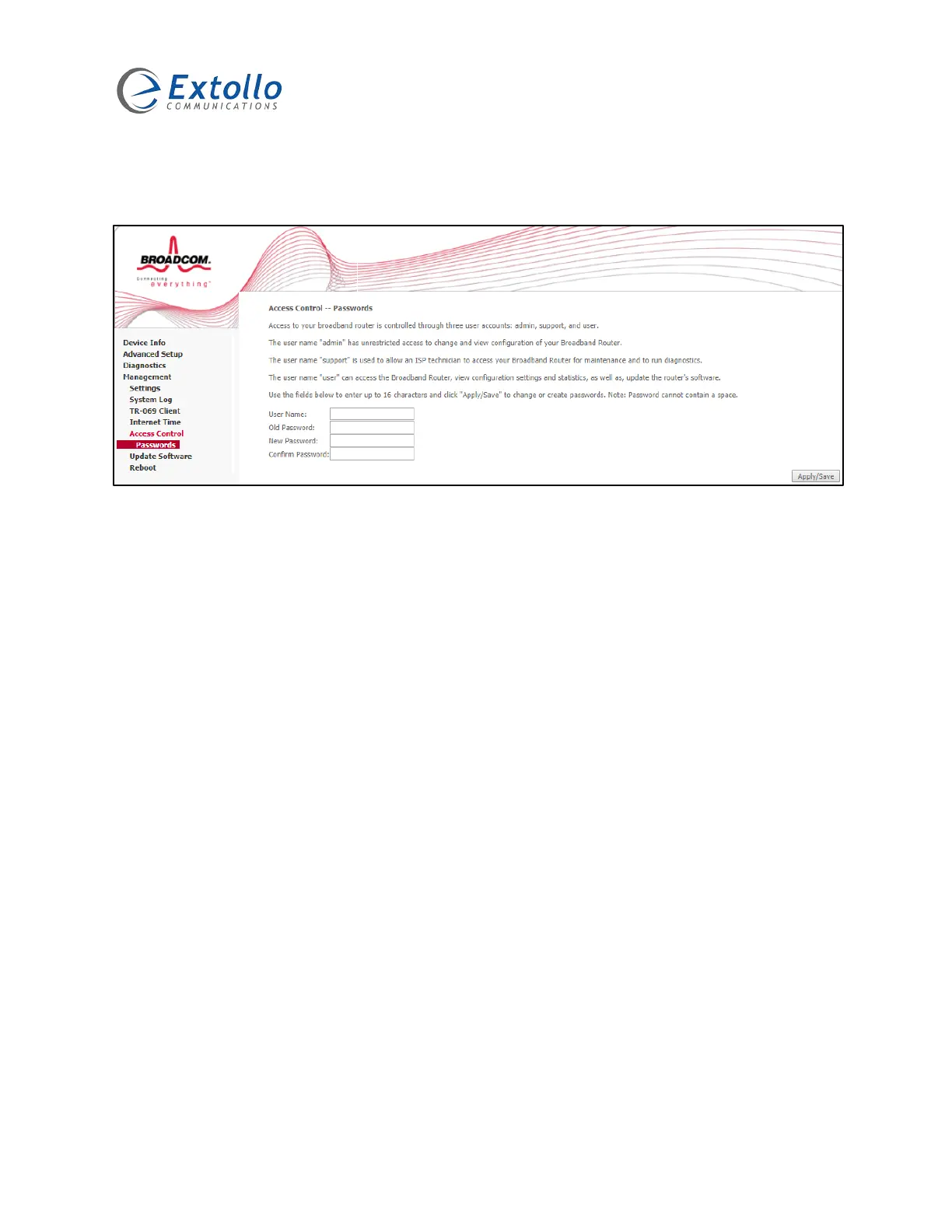
Change Login Password
Select “Management” then “Access Control” then “Passwords”.
1. Select the “User Name” field enter admin.
2. Select the “Old Password” field enter admin.
3. Select the “New Password” field, enter the new admin password.
4. Select the “Confirm Password” field, re-enter the new admin password.
NOTE: Please document the new admin password for future use. If you forget the admin
password, the only way to access the LANSocket 1500’s management interface is to restore the
LANSocket 1500 to factory defaults. This will set the “Access Control Password” back to admin.


 To Next Page