LP30 MENU STRUCTURE
33
ENGLISH
SET LANGUAGE MENU19.7.3.
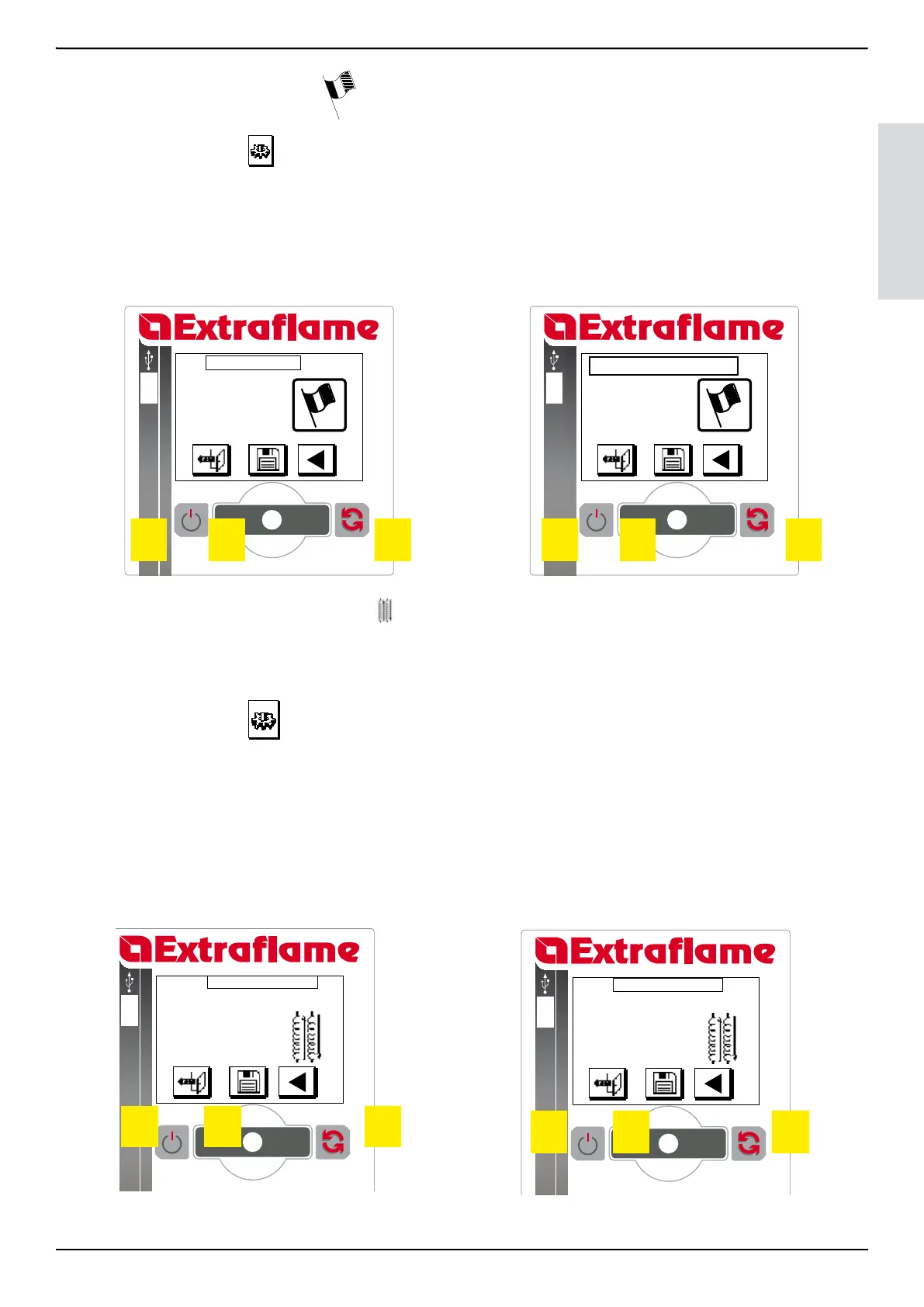
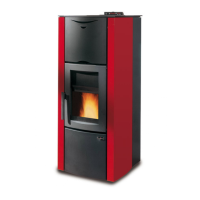
The boiler allows to set the following languages: Italian, English, French, German and Spanish. ITALIAN is the default setting
Turn P2 to select the icon
Press P2 to conrm
Turn P2 to select “ LANGUAGE”
Conrm, pressing P2
Turn P2 to select the desired parameter
Press P2 to enter modication mode
Turn P2 to modify the value
Press P2 to conrm and exit
If you wish to exit without memorising, press key P1
SET CLOCK
SET CHRONO
LANGUAGE
SET HEAT
EXCHANGER
USER MENU
LANGUAGE
ENGLISH
SET HEAT EXCHANGER MENU19.7.4.
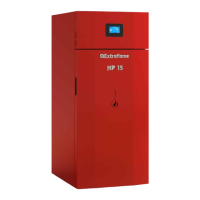
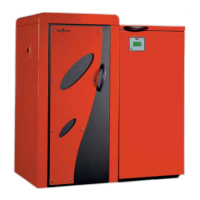
This menu allows to program the start and end time of automatic cleaning of the heat exchanger. Cleaning takes place mechanically via
metal springs that clean the exchange pipes. By default the parameters are START 6:00 STOP 22:00 which mean that cleaning is excluded
from 22 to 6 in the morning.
Turn P2 to select the icon
Press P2 to conrm
Turn P2 to select “ SET HEAT EXCHANGER”
Conrm, pressing P2
Turn P2 to select the desired parameter
Press P2 to enter modication mode
Turn P2 to modify the value
Press P2 to conrm and exit
If you wish to exit without memorising, press key P1
SET CLOCK
SET CHRONO
LANGUAGE
SET HEAT EXCHANGER
USER MENU
P1 P2 P3
START .. 00:00
STOP .. 00:00
SET HEAT EXCHANGER
P1 P2 P3
P1 P2 P3 P1 P2 P3


 To Next Page