Caused by Availability of SHA-2 Code signing Support, maybe driver installation has the
problem for Windows7/64bit OS. Find “Windows6.1-KB3033929-x64.msu” in
software CD, and run it to solve the problem according to Microsoft Security Advisory 3033929.
If you installed the wrong drivers and can’t re-install the right drivers, please run the
“DrvUninstall.exe” in software CD to delete the installed documents from your computer,
then install the right drivers again.
2, Download and Install OBS Studio:
Download OBS Studio from https://obsproject.com/ and install it, just step by step is ok.
3, OBS Settings:
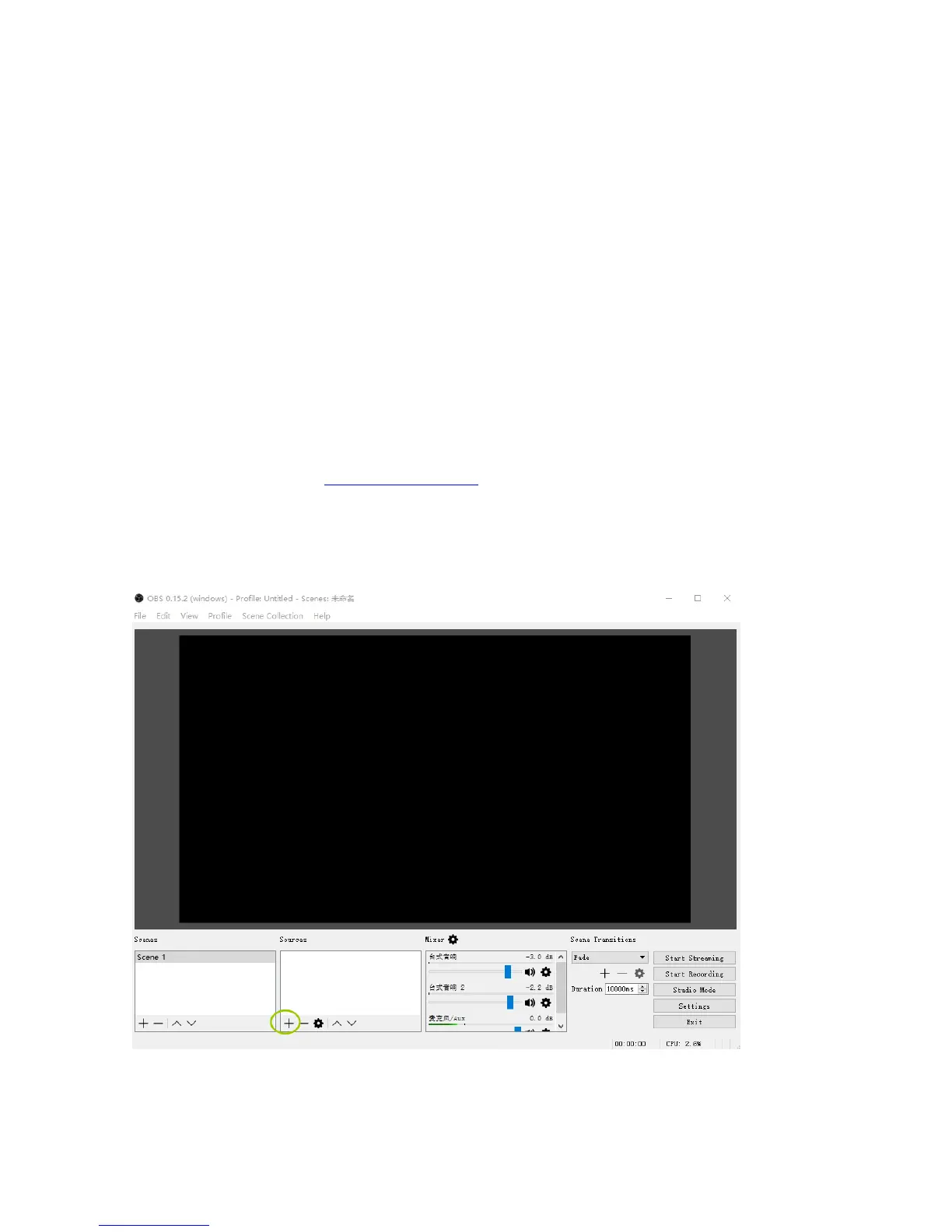
Open OBS Studio, click “+” of “Sources”
Choose “ Video Capture Device”.


 To Next Page