EasyManua.ls Logo

Ezviz BC2 - User Manual

Ezviz BC2
12 pages
Print Icon
To Next Page IconTo Next Page
Loading...
COPYRIGHT © Hangzhou EZVIZ Software Co., Ltd. ALL RIGHTS RESERVED.
Any and all information, including, among others, wordings, pictures, graphs are the properties of
Hangzhou EZVIZ Software Co., Ltd. (hereinafter referred to as “EZVIZ”). This user manual (hereinafter
referred to as “the Manual”) cannot be reproduced, changed, translated, or distributed, partially or
wholly, by any means, without the prior written permission of EZVIZ. Unless otherwise stipulated,
EZVIZ does not make any warranties, guarantees or representations, express or implied, regarding to
the Manual.
About this Manual
The Manual includes instructions for using and managing the product. Pictures, charts, images and
all other information hereinafter are for description and explanation only. The information contained
in the Manual is subject to change, without notice, due to firmware updates or other reasons. Please
find the latest version in the ™ website (http://www.ezvizlife.com).
Revision Record
New release – September, 2021
Trademarks Acknowledgement
™, ™, and other EZVIZ’s trademarks and logos are the properties of EZVIZ in various
jurisdictions. Other trademarks and logos mentioned below are the properties of their respective
owners.
Legal Disclaimer
TO THE MAXIMUM EXTENT PERMITTED BY APPLICABLE LAW, THE PRODUCT DESCRIBED, WITH
ITS HARDWARE, SOFTWARE AND FIRMWARE, IS PROVIDED “AS IS”, WITH ALL FAULTS AND ERRORS,
AND EZVIZ MAKES NO WARRANTIES, EXPRESS OR IMPLIED, INCLUDING WITHOUT LIMITATION,
MERCHANTABILITY, SATISFACTORY QUALITY, FITNESS FOR A PARTICULAR PURPOSE, AND
NON-INFRINGEMENT OF THIRD PARTY. IN NO EVENT WILL EZVIZ, ITS DIRECTORS, OFFICERS,
EMPLOYEES, OR AGENTS BE LIABLE TO YOU FOR ANY SPECIAL, CONSEQUENTIAL, INCIDENTAL, OR
INDIRECT DAMAGES, INCLUDING, AMONG OTHERS, DAMAGES FOR LOSS OF BUSINESS PROFITS,
BUSINESS INTERRUPTION, OR LOSS OF DATA OR DOCUMENTATION, IN CONNECTION WITH
THE USE OF THIS PRODUCT, EVEN IF EZVIZ HAS BEEN ADVISED OF THE POSSIBILITY OF SUCH
DAMAGES.
TO THE MAXIMUM EXTENT PERMITTED BY APPLICABLE LAW, IN NO EVENT SHALL EZVIZ’S TOTAL
LIABILITY FOR ALL DAMAGES EXCEED THE ORIGINAL PURCHASE PRICE OF THE PRODUCT.
EZVIZ DOES NOT UNDERTAKE ANY LIABILITY FOR PERSONAL INJURY OR PROPERTY DAMAGE AS
THE RESULT OF PRODUCT INTERRUPTION OR SERVICE TERMINATION CAUSED BY: A) IMPROPER
INSTALLATION OR USAGE OTHER THAN AS REQUESTED; B) THE PROTECTION OF NATIONAL OR
PUBLIC INTERESTS; C) FORCE MAJEURE; D) YOURSELF OR THE THIRD PARTY, INCLUDING WITHOUT
LIMITATION, USING ANY THIRD PARTY’S PRODUCTS, SOFTWARE, APPLICATIONS, AND AMONG
OTHERS.
REGARDING TO THE PRODUCT WITH INTERNET ACCESS, THE USE OF PRODUCT SHALL BE WHOLLY
AT YOUR OWN RISKS. EZVIZ SHALL NOT TAKE ANY RESPONSIBILITES FOR ABNORMAL OPERATION,
PRIVACY LEAKAGE OR OTHER DAMAGES RESULTING FROM CYBER ATTACK, HACKER ATTACK,
VIRUS INSPECTION, OR OTHER INTERNET SECURITY RISKS; HOWEVER, EZVIZ WILL PROVIDE
TIMELY TECHNICAL SUPPORT IF REQUIRED. SURVEILLANCE LAWS AND DATA PROTECTION
LAWS VARY BY JURISDICTION. PLEASE CHECK ALL RELEVANT LAWS IN YOUR JURISDICTION
BEFORE USING THIS PRODUCT IN ORDER TO ENSURE THAT YOUR USE CONFORMS TO THE
APPLICABLE LAW. EZVIZ SHALL NOT BE LIABLE IN THE EVENT THAT THIS PRODUCT IS USED WITH
ILLEGITIMATE PURPOSES.
IN THE EVENT OF ANY CONFLICTS BETWEEN THE ABOVE AND THE APPLICABLE LAW, THE LATTER
PREVAILS.
Question and Answer IconNeed help?

Do you have a question about the Ezviz BC2 and is the answer not in the manual?

Summary

About this Manual

Legal Disclaimer

Overview

Package Contents

Lists all items included in the camera package.

Basics

Describes the main components and views of the camera.

Setup

Power-on

Instructions on how to power on the camera.

Connect to the Internet

Steps to connect the camera to the internet via the EZVIZ app.

Installation

Installation Location

Guidelines for choosing the optimal location to install the camera.

Install Micro SD Card

Instructions for inserting and initializing the Micro SD card.

Install Camera

Instructions for mounting the camera using foam sticker or screws.

View Your Device

Live View

Explains how to view the live feed and available controls like snapshot and record.

Settings

Details on customizing device parameters like name, detection, and network.

EZVIZ Connect

Use Amazon Alexa

Step-by-step guide to connect and control EZVIZ devices with Amazon Alexa.

Use Google Assistant

Instructions for activating and using the EZVIZ device with Google Assistant.

FAQ

Initiatives on the Use of Video Products

Summary

About this Manual

Legal Disclaimer

Overview

Package Contents

Lists all items included in the camera package.

Basics

Describes the main components and views of the camera.

Setup

Power-on

Instructions on how to power on the camera.

Connect to the Internet

Steps to connect the camera to the internet via the EZVIZ app.

Installation

Installation Location

Guidelines for choosing the optimal location to install the camera.

Install Micro SD Card

Instructions for inserting and initializing the Micro SD card.

Install Camera

Instructions for mounting the camera using foam sticker or screws.

View Your Device

Live View

Explains how to view the live feed and available controls like snapshot and record.

Settings

Details on customizing device parameters like name, detection, and network.

EZVIZ Connect

Use Amazon Alexa

Step-by-step guide to connect and control EZVIZ devices with Amazon Alexa.

Use Google Assistant

Instructions for activating and using the EZVIZ device with Google Assistant.

FAQ

Initiatives on the Use of Video Products

Overview

This document describes the EZVIZ camera, a device designed for surveillance and monitoring, offering various features for both personal and business use. The manual provides comprehensive instructions for setup, installation, operation, and maintenance, ensuring users can effectively utilize the product while adhering to legal and ethical guidelines.

Function Description

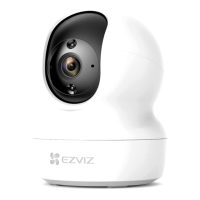
The EZVIZ camera is a versatile surveillance device capable of recording real, complete, and clear images. It is designed to provide live video feeds, take snapshots, and record videos, offering a valuable tool for retrospect and preserving real-time facts. The camera integrates with the EZVIZ app, allowing users to remotely view and manage their device. It supports various working modes, including continuous recording, performance mode (longer video clips, less power), power saving mode (shorter video clips, more power), and super power-saving mode (sleep mode with active live view wake-up).

Key functionalities include:

  • Live View: Users can access a live video feed from the camera through the EZVIZ app, enabling real-time monitoring.
  • Recording: The camera supports manual recording and can be configured for continuous recording based on the selected working mode.
  • Snapshots: Users can capture still images from the live feed.
  • Two-Way Talk: The device allows for two-way communication, enabling users to talk and listen through the camera.
  • Video Definition Selection: Users can choose video resolutions from Ultra HD, Hi-Def, or Standard to suit their needs and network conditions.
  • Intelligent Detection: The camera features PIR Infrared Detection and Human Shape Detection, allowing for customizable detection sensitivity. This helps in identifying motion and human presence, triggering alerts.
  • Notifications: Users can configure device-side audible notifications and app-side message notifications for detected events.
  • Audio Recording: The camera can record audio along with video, though this feature can be disabled.
  • Image Style Customization: Users can adjust image styles (Original, Soft, Vivid) and enable or disable an On-Screen Display (OSD) with the device name on captured videos.
  • Battery Monitoring: The app displays the camera's battery capacity.
  • Cloud Storage: The device supports cloud storage, which users can subscribe to and manage for storing recordings.
  • Local Storage: A Micro SD card slot is available for local storage, supporting up to 256GB (Class 10 recommended). The card needs to be initialized within the EZVIZ app.
  • Security Settings: Videos can be encrypted, and users can change their encryption password for enhanced data security.
  • Network Management: Users can view and change the Wi-Fi network the device is connected to.
  • Device Information: Access to detailed device information is available through the app.
  • Device Sharing: Users can share device access and permissions with family members or guests via email or phone number.
  • Device Deletion: The camera can be easily deleted from the EZVIZ account.

Usage Features

The EZVIZ camera is designed for user-friendly operation and flexible deployment.

  • Easy Setup: The setup process involves downloading the EZVIZ app, registering an account, and adding the camera by scanning a QR code. The app guides users through Wi-Fi configuration.
  • Power-on and Charging: The camera powers on by holding the power button for 2 seconds. It can be charged using a 5V 2A power adapter (purchased separately) and the included power cable. It's important to charge the camera indoors, away from extreme temperatures.
  • Flexible Installation: The camera can be placed horizontally or mounted on the ceiling. Two mounting options are provided:
    • Foam Sticker Mount: For clean, flat surfaces, a metal plate can be secured with a foam sticker, and the camera attaches magnetically.
    • Screw Mount: For more permanent installations, especially on cement walls, the metal plate can be fixed with screws and anchors, and the camera then attaches magnetically.
  • Optimal Placement: Recommendations for installation include choosing a location with a clear, unblocked field of view and good wireless signal. Specific guidelines are provided to reduce false alarms, such as avoiding strong light conditions, outlets, strong wind, mirrors, and placing it at least 1 meter away from other wireless devices. A recommended installation height of 6 ft (1.8m) and a tilt-down angle of 15 degrees are suggested.
  • App Interface: The EZVIZ app provides an intuitive interface for managing the device, with icons for sharing, settings, snapshots, recording, talk, video definition, and multi-screen live view.
  • Google Assistant and Amazon Alexa Integration: The camera can be controlled using voice commands through Amazon Alexa and Google Assistant, allowing for smart home integration. This requires disabling "Image Encryption" and enabling "Audio" in the EZVIZ app settings for seamless integration. Users can discover devices and control them with simple voice commands, such as "show [camera name]."
  • Offline Recording: If the camera is powered on but disconnected from the internet, local recording to the Micro SD card will continue. Cloud recording, however, will stop. If the camera is powered off, both local and cloud recordings will cease.

Maintenance Features

Maintaining the EZVIZ camera involves several aspects to ensure its longevity and optimal performance.

  • Firmware Updates: The information in the manual is subject to change due to firmware updates. Users are advised to check the EZVIZ website for the latest version of the manual and ensure their app is updated to the latest version for the best experience.
  • Micro SD Card Management: After installing a Micro SD card, it must be initialized in the EZVIZ app. The app provides status updates for the memory card, indicating if it's "Uninitialized" or "Normal," ensuring it's ready to store videos.
  • Troubleshooting: The manual includes a FAQ section to address common issues, such as the camera going offline or alarms not triggering as expected. For offline issues, users are advised to check internet connectivity, reboot the device, and re-discover it on Alexa or Google Assistant. For alarm issues, adjusting the alarm sensitivity is recommended, noting that vehicles and animals can also trigger alarms. Users are also reminded that PIR detection can be affected by environmental temperature and vertical approach.
  • Security and Data Protection: EZVIZ emphasizes the importance of data security. Users are encouraged to comply with all applicable laws and regulations, respect individual privacy, and take reasonable measures to ensure data security. This includes setting up access control, selecting a suitable network environment (Internet or Intranet), and constantly optimizing network security to prevent data leakage, improper disclosure, and misuse.
  • Ethical Use: EZVIZ promotes the ethical use of video products, stressing that users should define their rights within the scope of recording to avoid infringing on third-party privacy. When installing cameras in public areas, a warning notice should be given, and in non-public areas, consent from stakeholders should be obtained. The company encourages users to establish evaluation and tracking mechanisms to ensure proper and reasonable use of the product.
  • Technical Support: EZVIZ provides timely technical support if required, especially for issues related to abnormal operation, privacy leakage, or other damages resulting from cyber attacks or internet security risks.
  • Legal Compliance: Users are responsible for checking all relevant surveillance and data protection laws in their jurisdiction before using the product to ensure compliance. EZVIZ will not be liable if the product is used for illegitimate purposes. In case of conflicts between the manual's guidelines and applicable law, the latter prevails.

Ezviz BC2 Specifications

General IconGeneral
Resolution1080p
AudioTwo-way audio
Ingress ProtectionIP65
Power SupplyRechargeable battery
Motion DetectionYes
Battery LifeUp to 50 days
ConnectivityWi-Fi
StorageMicroSD card up to 256GB
Smart Home IntegrationWorks with Amazon Alexa
Smart FeaturesCustomizable voice alerts
Smart AlertsYes
Night VisionUp to 5 m (16 ft)

Related product manuals