8
4� Install the mounting plate�
Option A (for smooth wall)
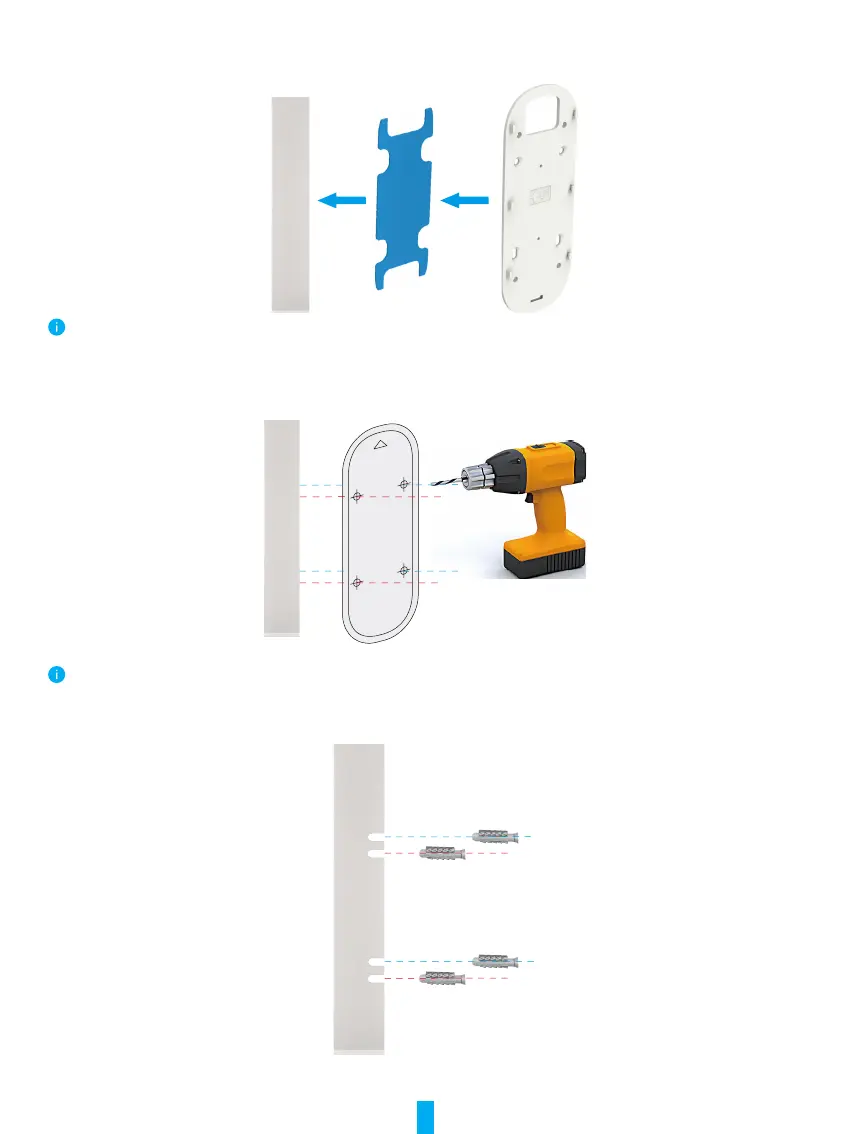
1. Stick the plate foam on the mounting plate and then paste them to the wall.
You can adjust the view coverage with inclinded mounting plate.
Option B (for uneven wall)
1. Place the drill template onto the surface you have chosen to mount the doorbell, and drill four screw holes.
It is recommended to use a drill with diameter of 6mm.
2. (Optional) Insert four anchors to the holes. There is no need to use anchor if you were installing on wooden doorframe.
Anchor



 To Next Page