6
Installation
1� Micro SD Card Installation (Optional)
If you bought the chime with a doorbell, it is recommended to install a micro SD card.
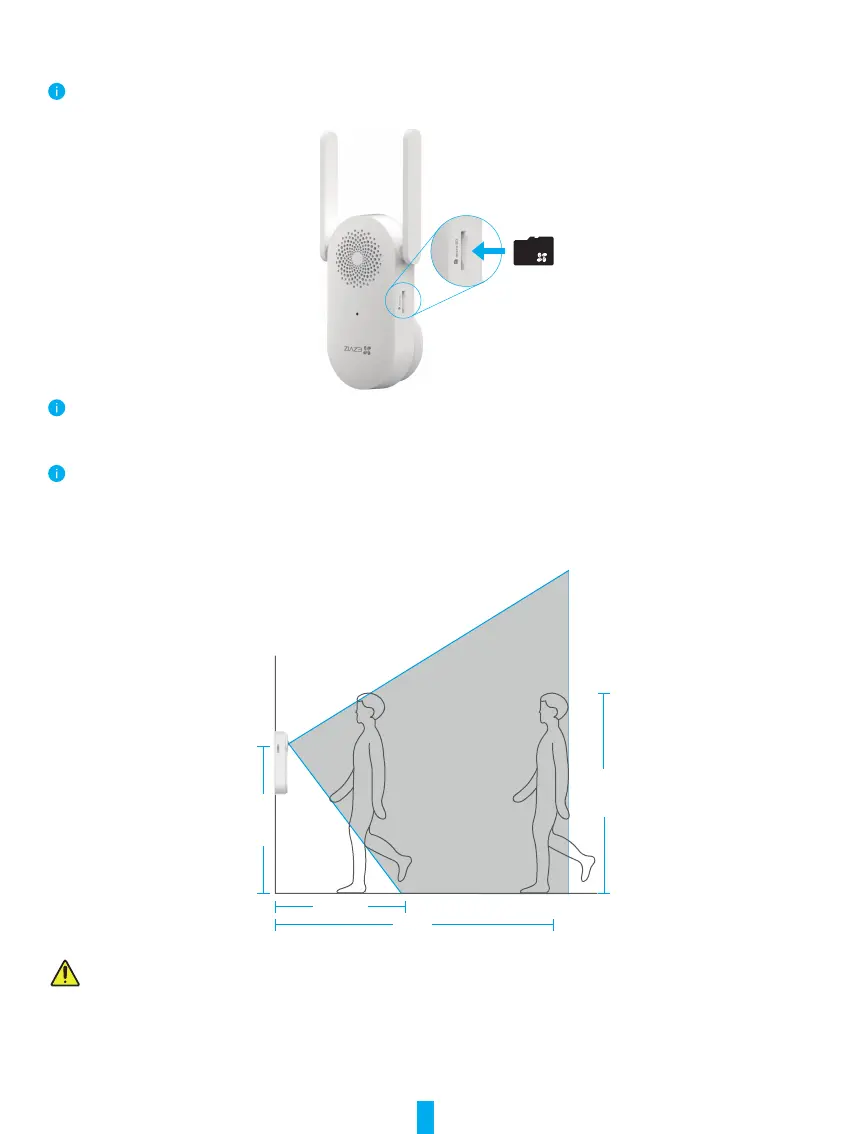
1. Insert the micro SD card (sold separately) into the card slot on the chime as shown in the gure below.
After installing the micro SD card, you should initialize the card in the EZVIZ app before using it.
2. In the EZVIZ app, tap the Storage Status in the Device Settings interface to check the SD card status.
3. If the memory card status displays as Uninitialized, tap to initialize it. The status will then change to Normal and it can store videos.
The status will then change to Normal and then videos can be stored.
2� Doorbell Installation Height
1� Installation height
2m
1.76m
1.2m
1m
• Recommended installation height: 1.2m-1.5m.
• The following situations are not recommended for installation. Otherwise the network connection may be affected:
1. Iron doors;
2. Corners of load-bearing walls.
• Please make sure you have nished Wi- conguration of the chime and its LED indicator is solid blue before installation.
3� Select the mounting plate�
Use only the mounting plate, or use with one of the inclined mounting plates as a supplementary mounting bracket if you wish
to see more on a specic side.



 To Next Page