2
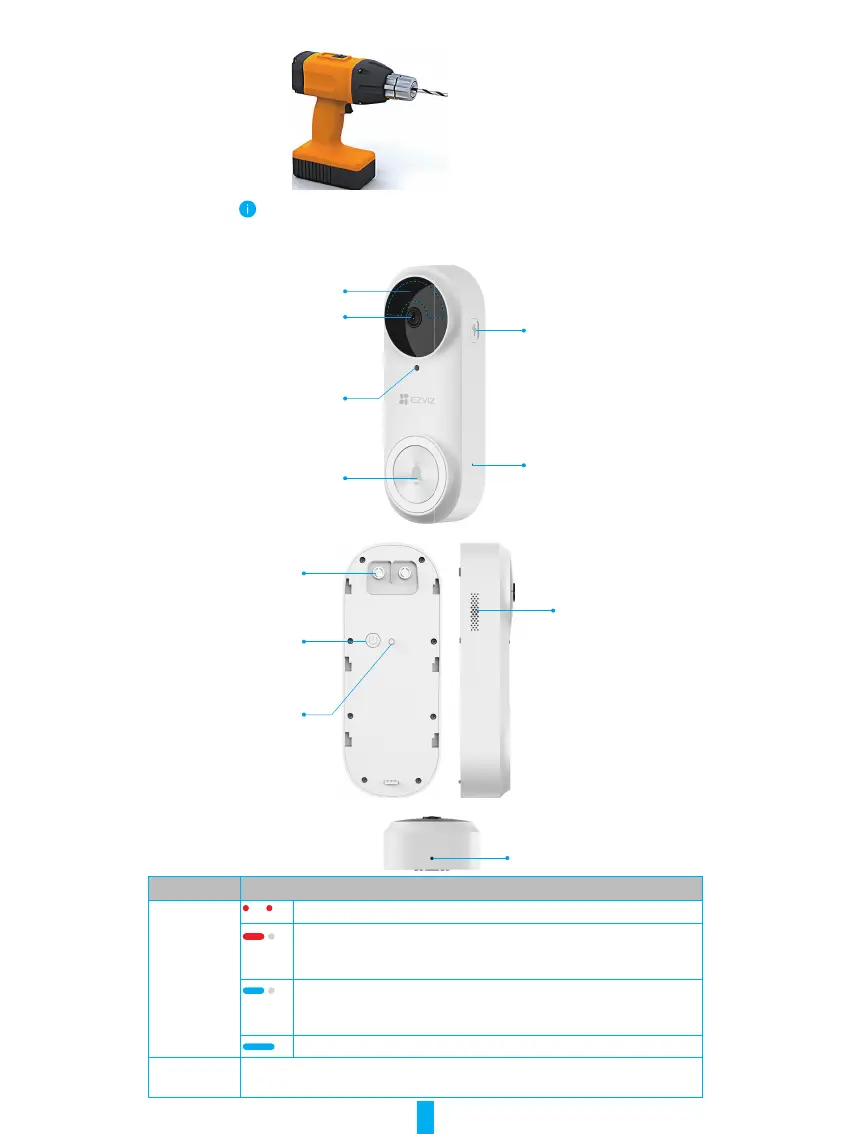
2� Tools You May Need
Drill (x1)
• It is recommended to use a drill with diameter of 6mm.
• The tool should be purchased separately.
3� Basics (Doorbell)
Power Port
MIC
Light Sensor
(Do Not Block)
LED Indicator/
Doorbell Button
PIR
Lens
Power Button
Terminals
Speaker
Tamper Alarm
Button
Dismantle Hole
Name Description
LED Indicator Slow-Flashing Red: Charging.
Solid Red for 3 seconds and off:
• Person detected and less than 20% of battery
• Doorbell button pressed and less than 20% of battery.
Solid Blue for 3 seconds and off:
• Person detected and more than 20% of battery
• Doorbell button pressed and more than 20% of battery.
Solid Blue: Fully charged and still connected to the power outlet.
Power Button • Short press for 2 seconds: Turn on the doorbell.
• Long press for 5 seconds: Turn off the doorbell.



 To Next Page