11
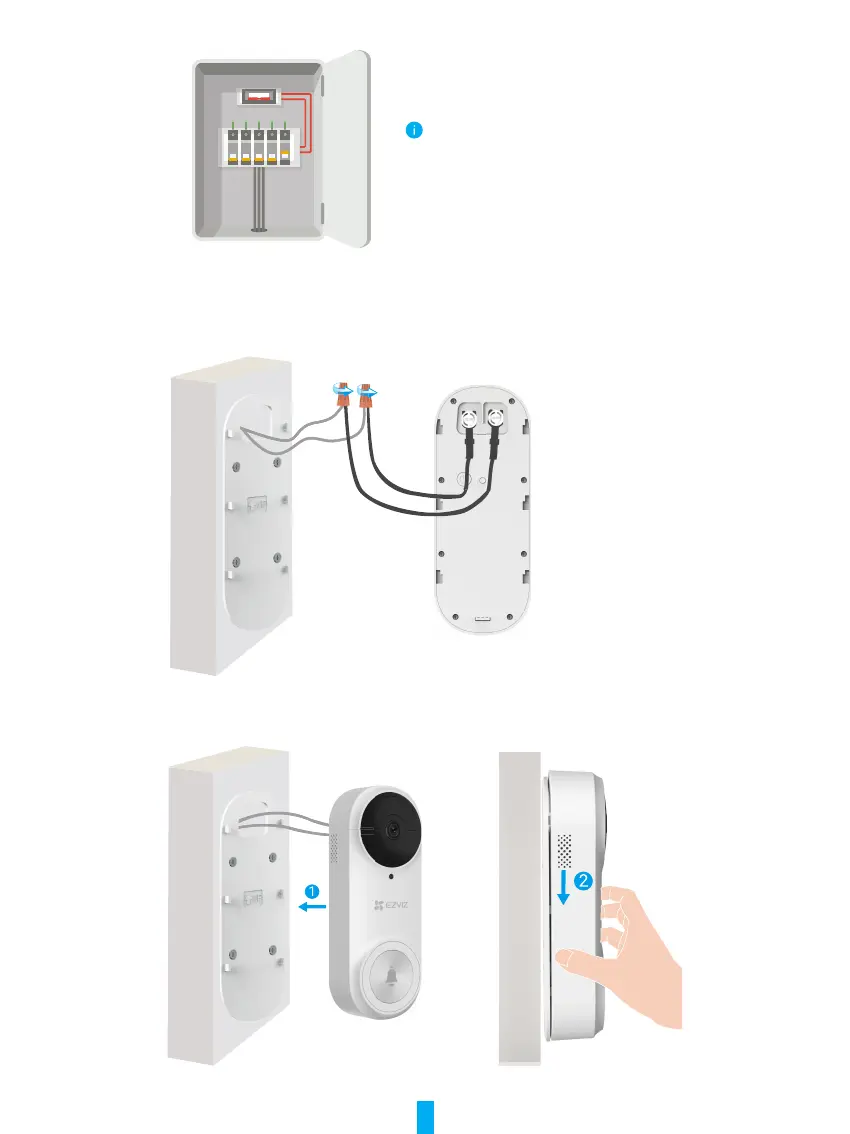
1�Shut off the electricity at the breaker
Note: Always be careful when handling electricity
wiring. If you’re not comfortable to do it yourself,
do consult a qualied electrician.
2�Connect the wires
1. Remove the old doorbell, take out the existing wires and pass it through the mounting plate.
2. Connect the existing doorbell wires to the terminals at the back of the EZVIZ doorbell, then tighten the terminal screws.
Wire Connector
U-shaped Wire
Power Supply: 16 to 24 VAC
3�Install the Doorbell
Install the doorbell to the mounting plate.
4�Restore power at the breaker�



 To Next Page